Overview
The Audio Book feature on Mayar offers an immersive and convenient listening experience, allowing you to enjoy a wide range of book genres without having to read physically. With clear audio quality and engaging narration, you can enjoy your favorite stories anytime and anywhere — whether you’re traveling, exercising, or relaxing at home. This feature also includes playback speed control and chapter markers, making it easy to customize your listening experience to your preferences. Discover a new, more flexible, and enjoyable way to experience books with Mayar’s Audio Book feature.Creating an Audio Book Product
1
Log in to Dashboard
First, log in to your Mayar Dashboard. Make sure you are signed in to your account and on the main Dashboard page. Here, you will begin the process of creating an audiobook product.
2
Access Product Menu
On the Dashboard page, find and click the “product” button located at the top right corner, next to the “create” button. This will take you to the product menu, where you can choose the type of product you want to create.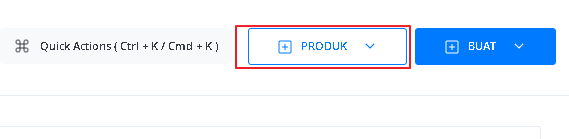
3
Select Audio Book Option
From the product menu, select the “Audio Book” option to start creating your Audio Book product. This will open a new window titled “Create Audio Book”, where you’ll be asked to provide details about the product you’re making.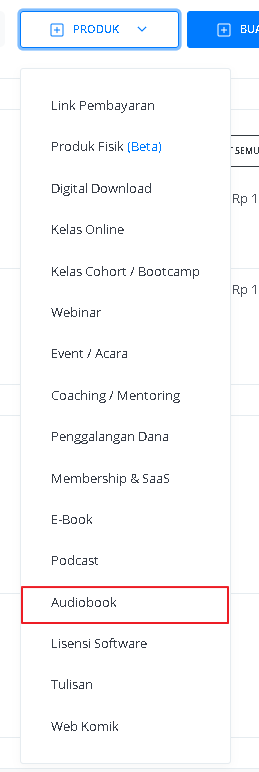
4
Fill in Product Details
In the “Create Audio Book” window, you need to fill in the product details as follows: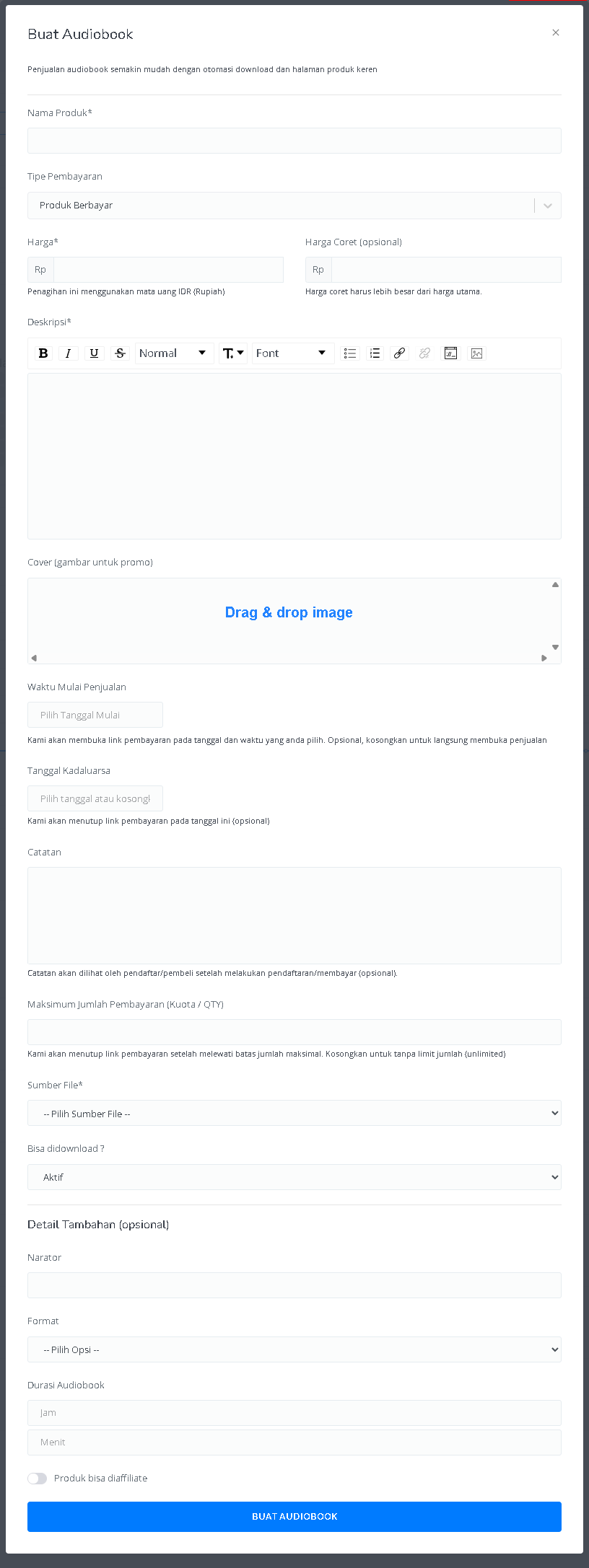
5
View Product Details Page
After all the information is filled in and the audiobook product is successfully created, you will be redirected to the product details page you just created. Here, you can see all the information as follows: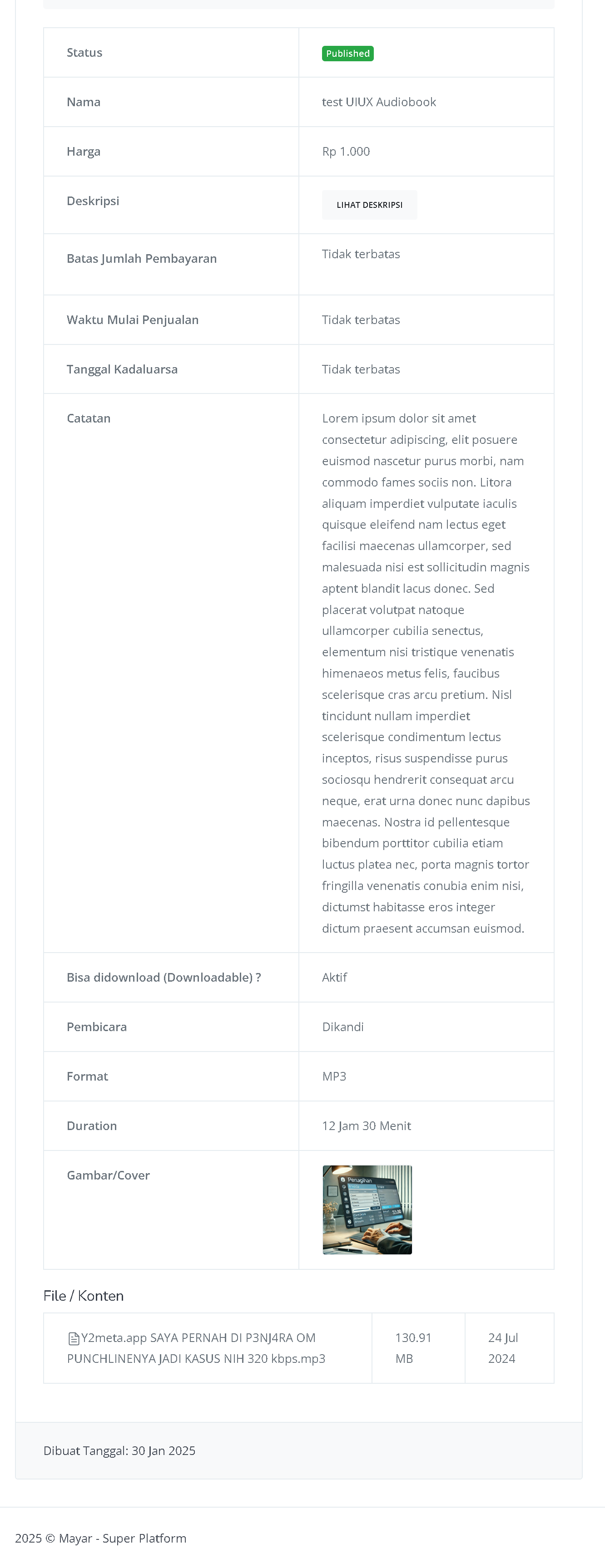
6
Congratulations!
Congratulations! You have successfully created an Audiobook product in Mayar!
How to Access the Product Page and Checkout
1
Access Product Page
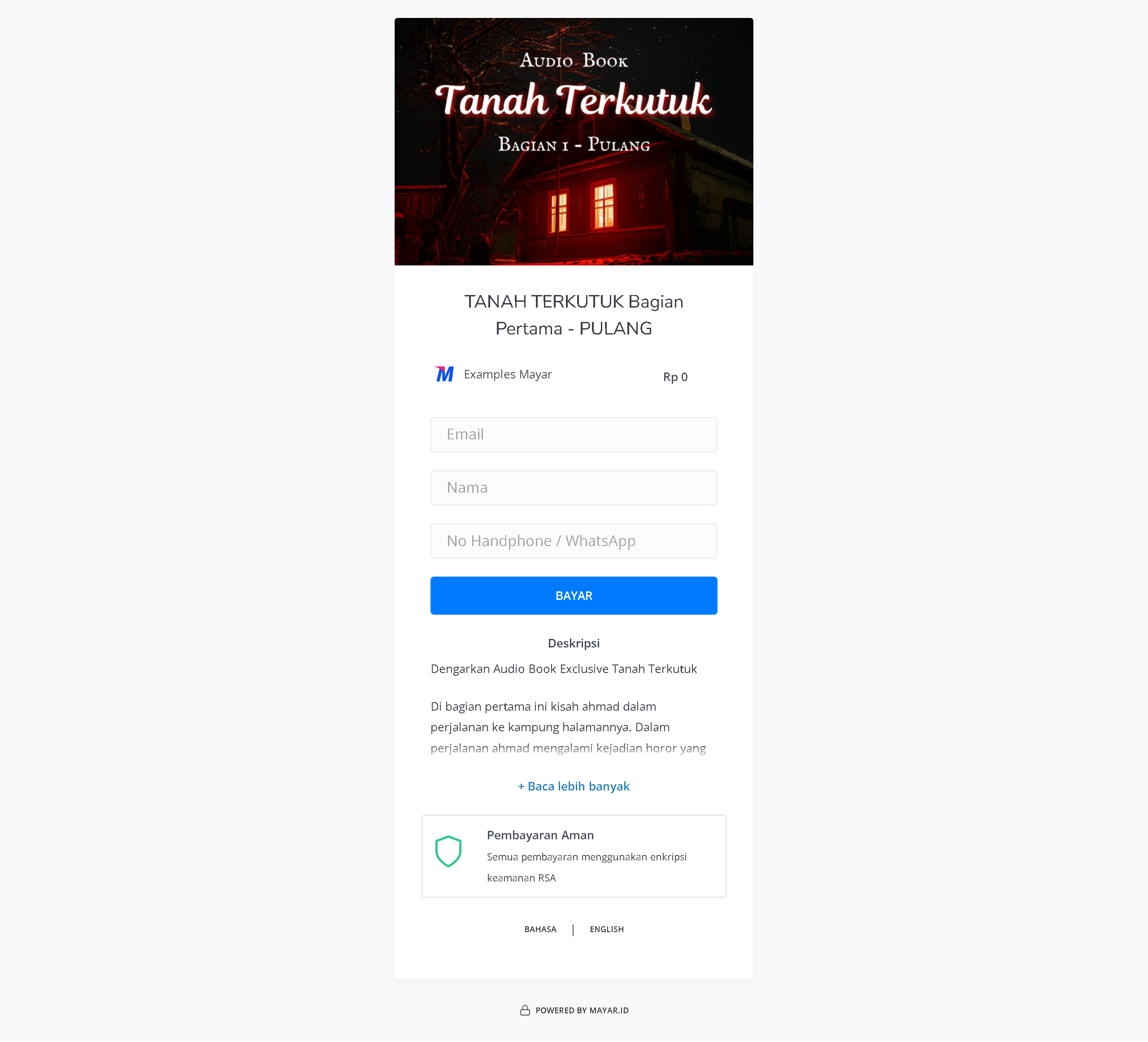
You can access the product page through the link provided in the product details.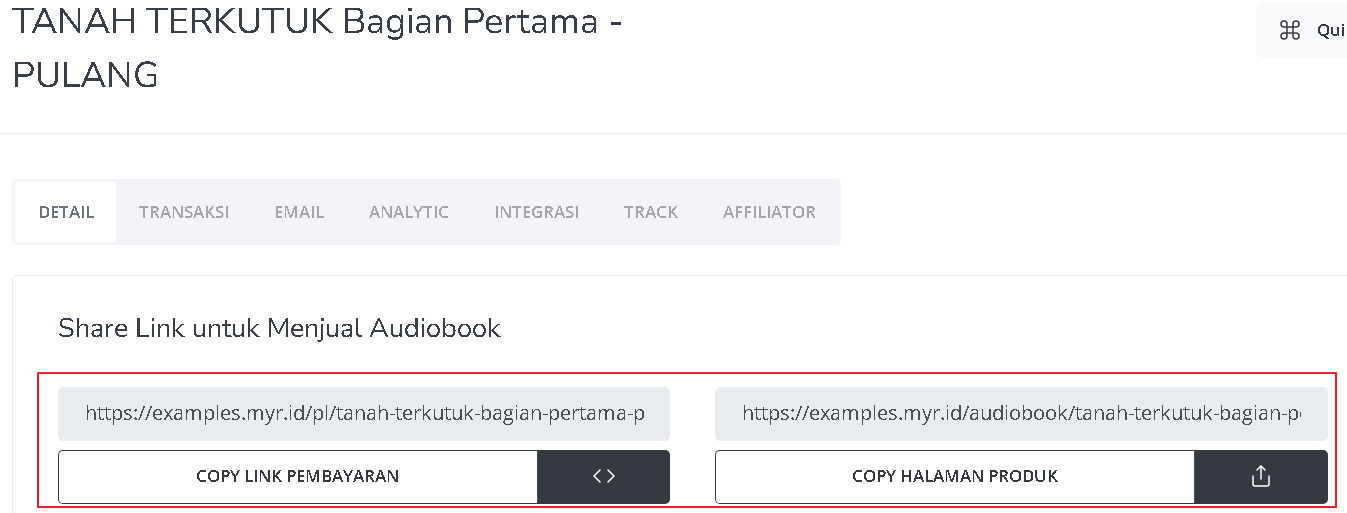
2
Copy Product Page Link
You can also access the product page by copying the product page link.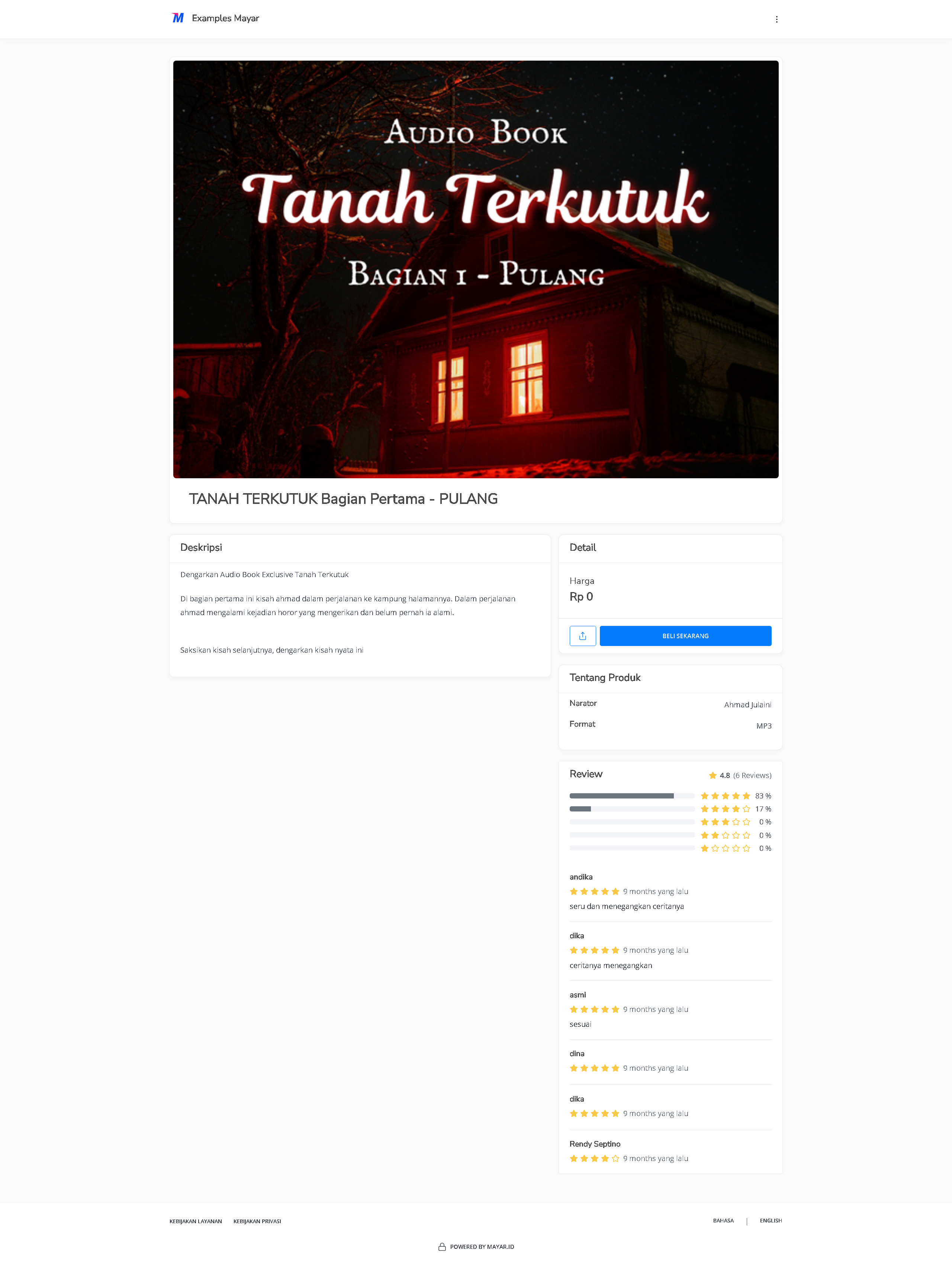
3
Access Checkout Page
To access the checkout page, you can copy the payment link.