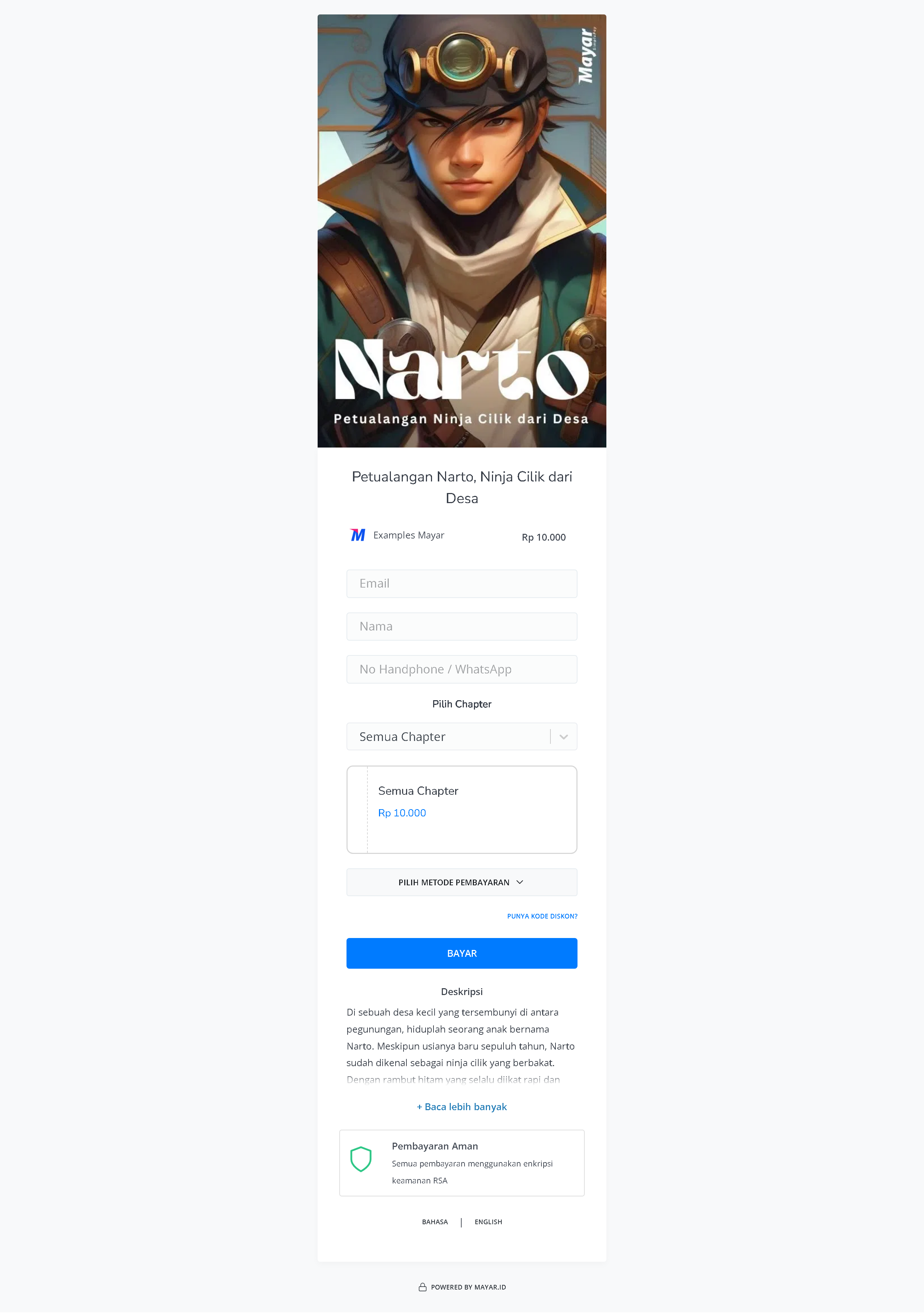
Overview
Writing on Mayar is an innovative product designed to make it easier for users to write and edit documents digitally. This product offers advanced features such as voice recognition, allowing users to dictate text directly to their device, as well as collaboration tools that enable real-time teamwork. In addition, Writing on Mayar is equipped with automatic grammar and spell check tools, ensuring that the quality of writing remains high. Its intuitive and user-friendly interface makes it suitable for everyone, from students to professionals, who need an efficient and effective writing solution.How to Create a Writing Product
1
Go to Dashboard
Make sure you are logged into your Mayar account and on the main Dashboard page.
2
Access the Product Menu
Click the “Product” button at the top right near the “Create” button. This will take you to the product menu.
3
Choose Product Type
Select the “Writing” option to start creating your Writing product. The “Create Writing” window will open.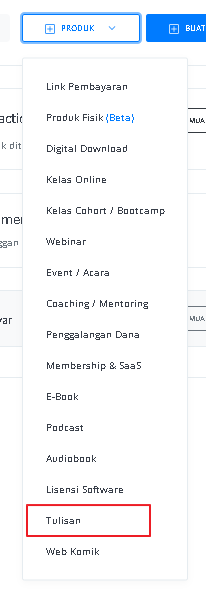
4
Fill in Product Details
Enter the following information: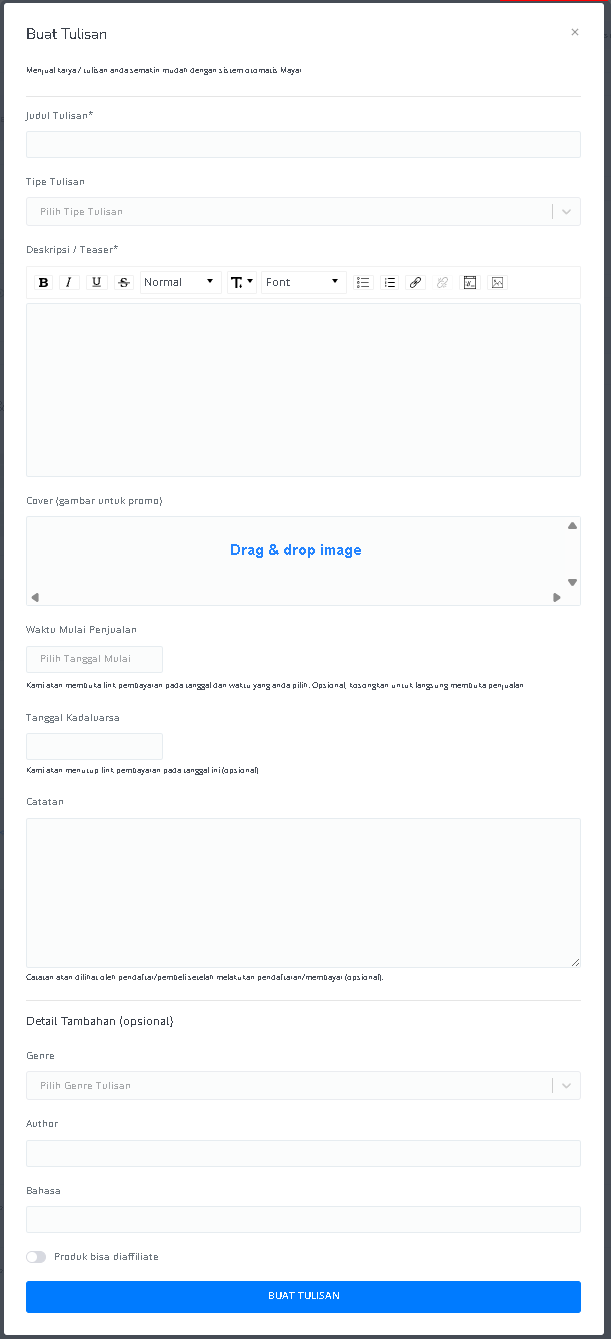
5
Content Creation
For One-Shot writings, you can directly create your content. For Chapter-based writings, enter details such as Chapter Title, Cover, and Release Time before creating content for each chapter. Make sure the setup aligns with your chosen payment mechanism so that all information matches your payment type and desired sales strategy.
6
Review and Finish
After filling in all the information, review the product details to ensure everything is correct. On the product detail page, you will see the following: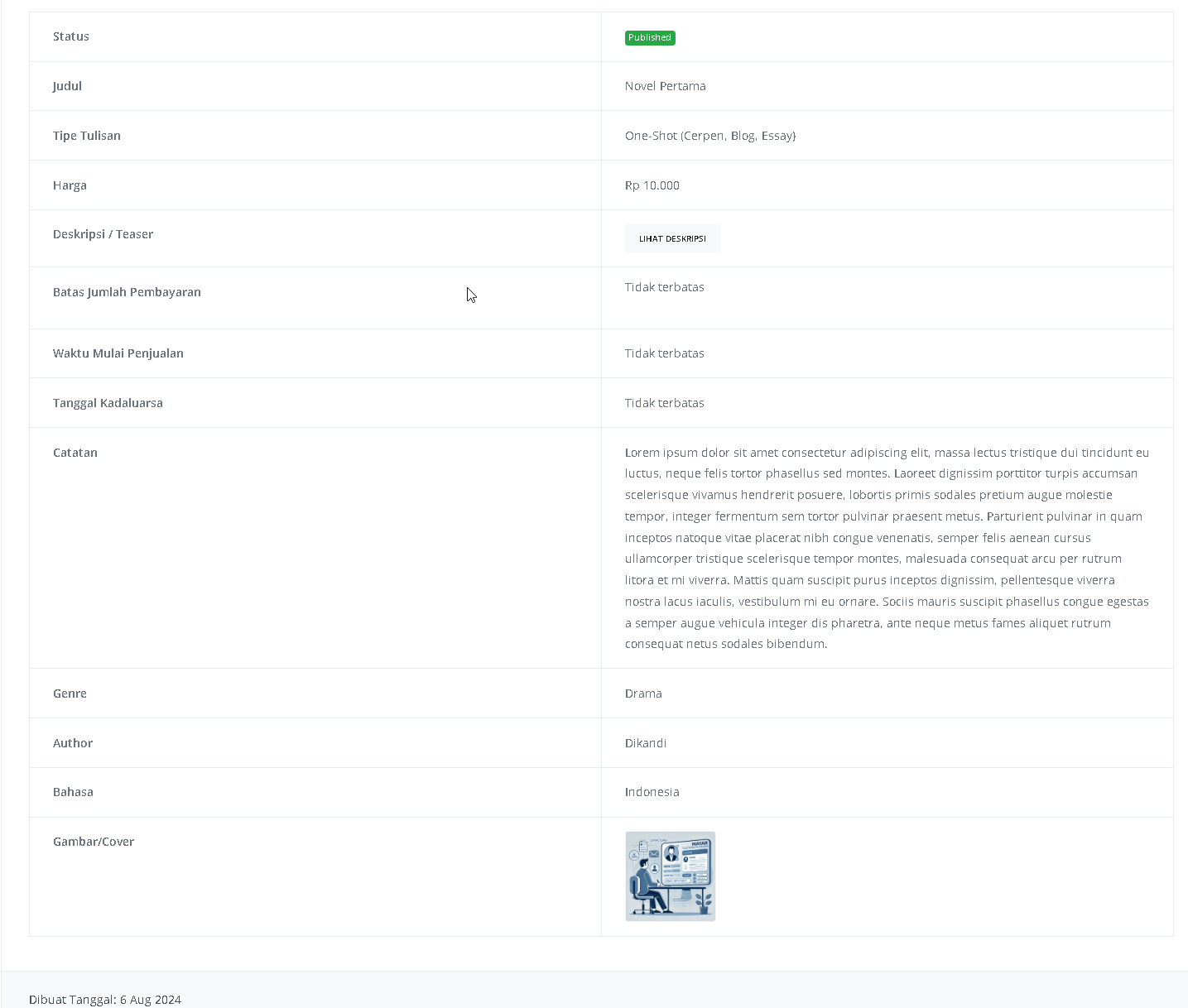
How to Access the Product Page and Checkout
1
Access Product Page
You can access the product page through the link provided in the product details.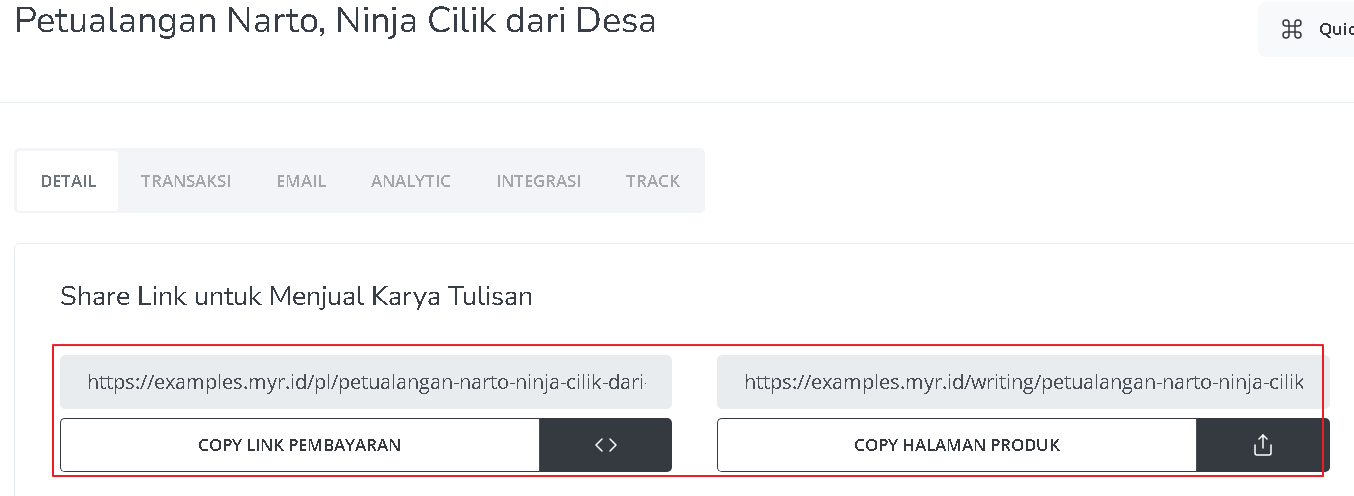
2
Copy Product Page Link
You can also access the product page by copying the product page link.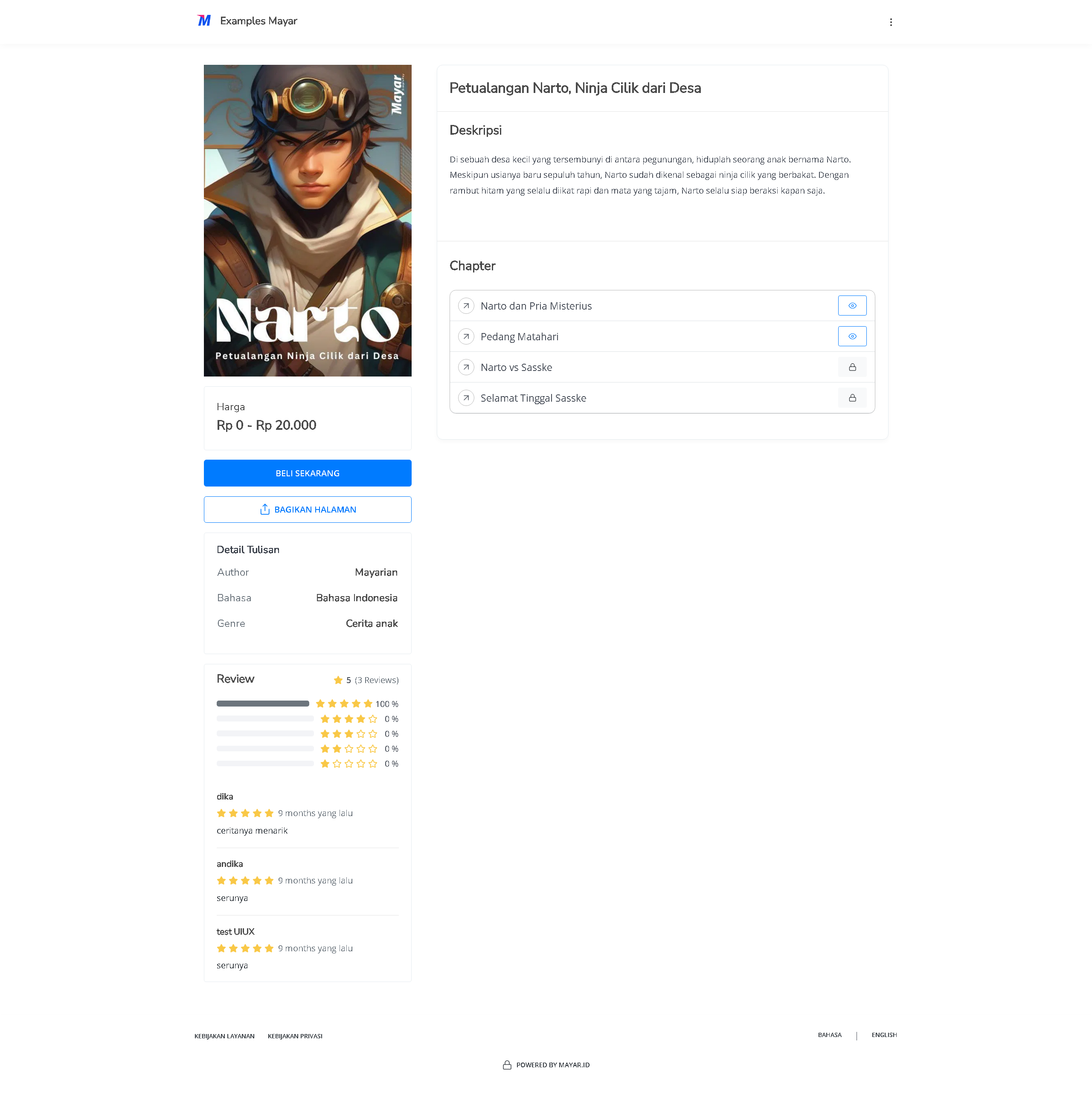
3
Access Checkout Page
To access the checkout page, you can copy the payment link.