Overview
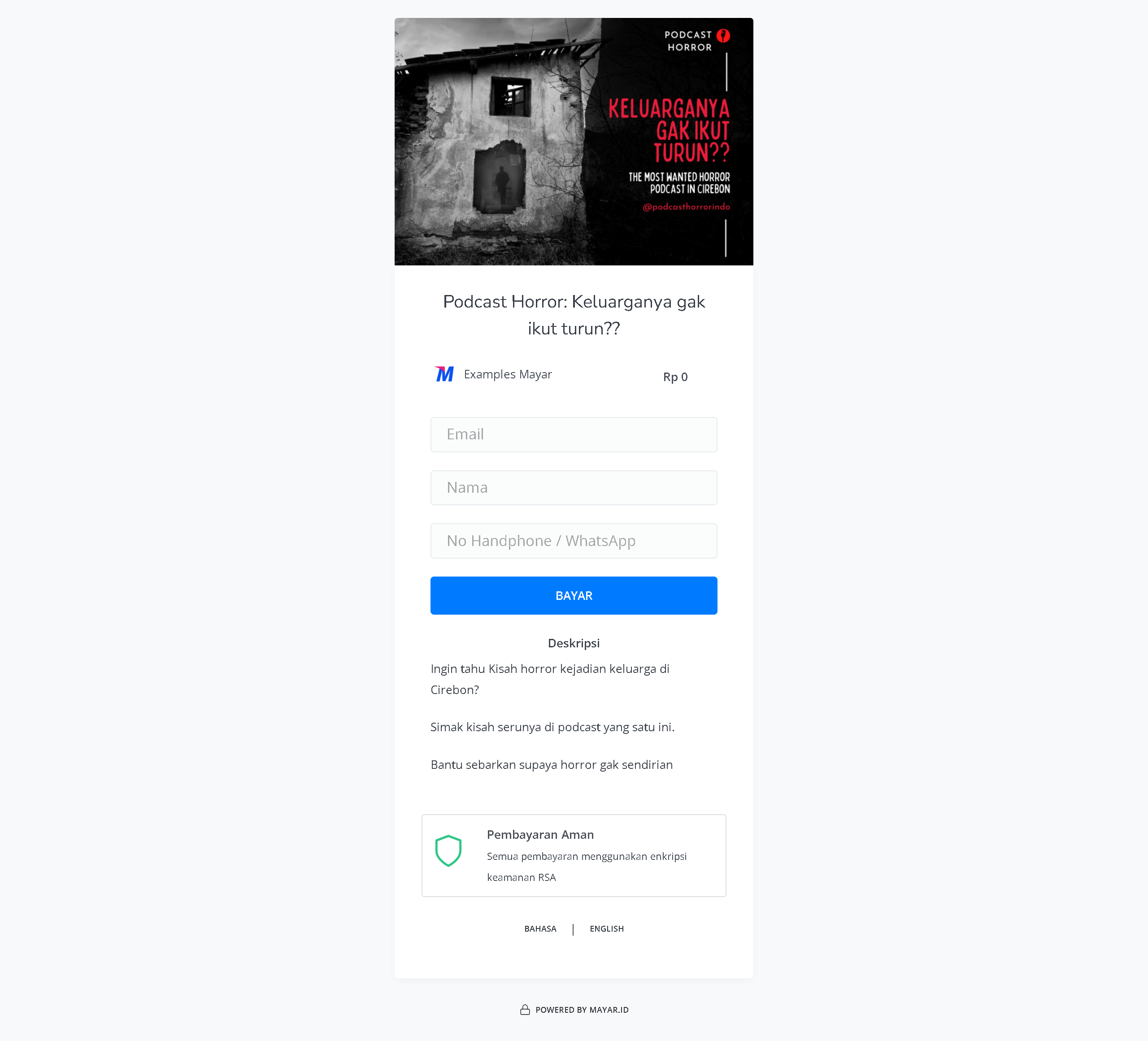
The Podcast feature on Mayar offers a rich and interactive listening experience, allowing users to enjoy a wide range of high-quality audio content — from the latest news to in-depth discussions on their favorite topics. With an intuitive interface, you can easily browse, search, and save your favorite podcasts to listen to anytime, anywhere. The feature also includes personalized recommendations based on your interests, so you can always discover something new and exciting. Enhance your listening experience with Mayar’s Podcast feature, designed to meet the needs of today’s modern audience.Creating a Podcast Product
1
Log in to Dashboard
First, log in to your Mayar Dashboard. Make sure you are signed in to your account and on the main Dashboard page. Here, you will begin the process of creating a Podcast product.
2
Access Product Menu
On the Dashboard page, find and click the “Product” button located at the top right corner, next to the “Create” button. This will take you to the product menu, where you can choose the type of product you want to create.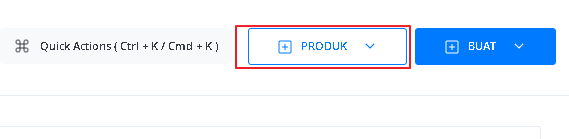
3
Select Podcast Option
From the product menu, select the “Podcast” option to start creating your Podcast product. This will open a new window titled “Create Podcast”, where you’ll be asked to provide various details about the product you’re making.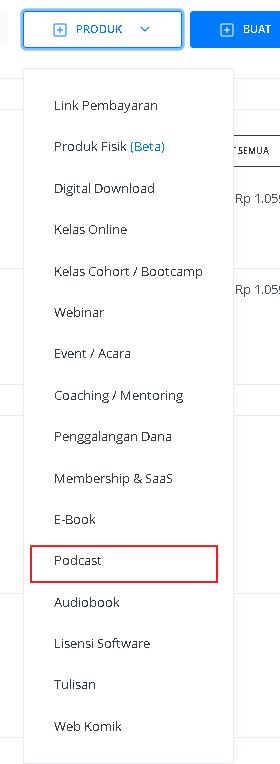
4
Fill in Product Details
In the “Create Podcast” window, you’ll need to fill in product details as follows: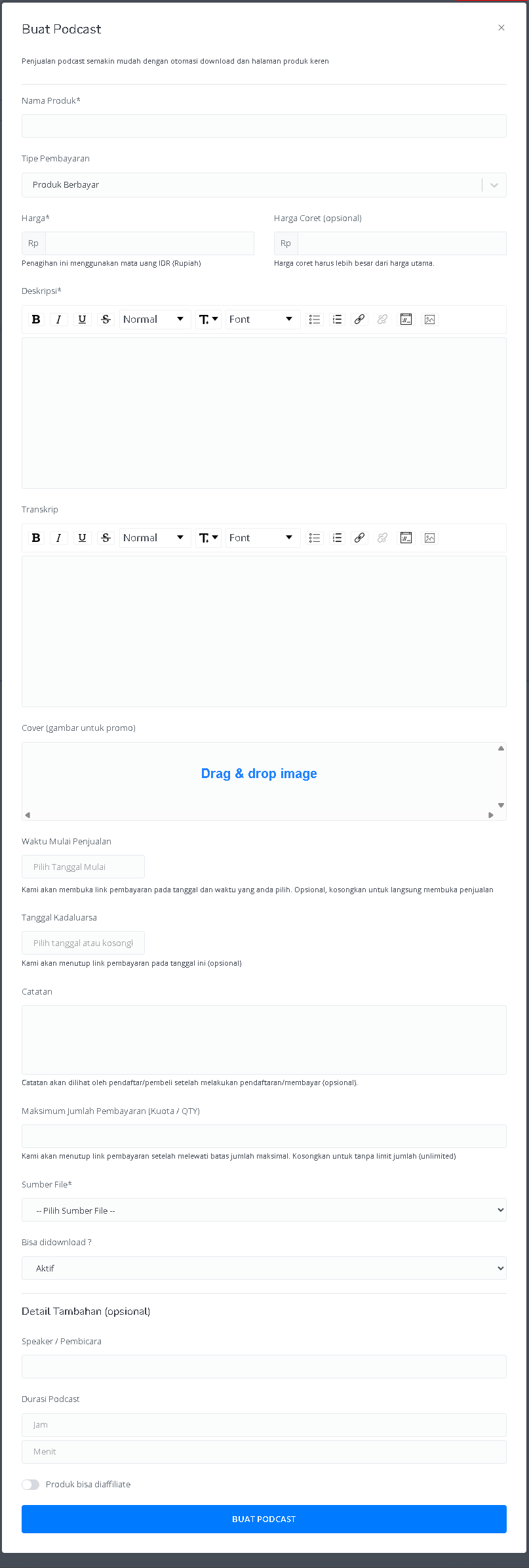
5
View Product Details Page
After filling out all the details and successfully creating your Podcast product, you’ll be redirected to the Product Detail Page. Here, you can see all the information as follows: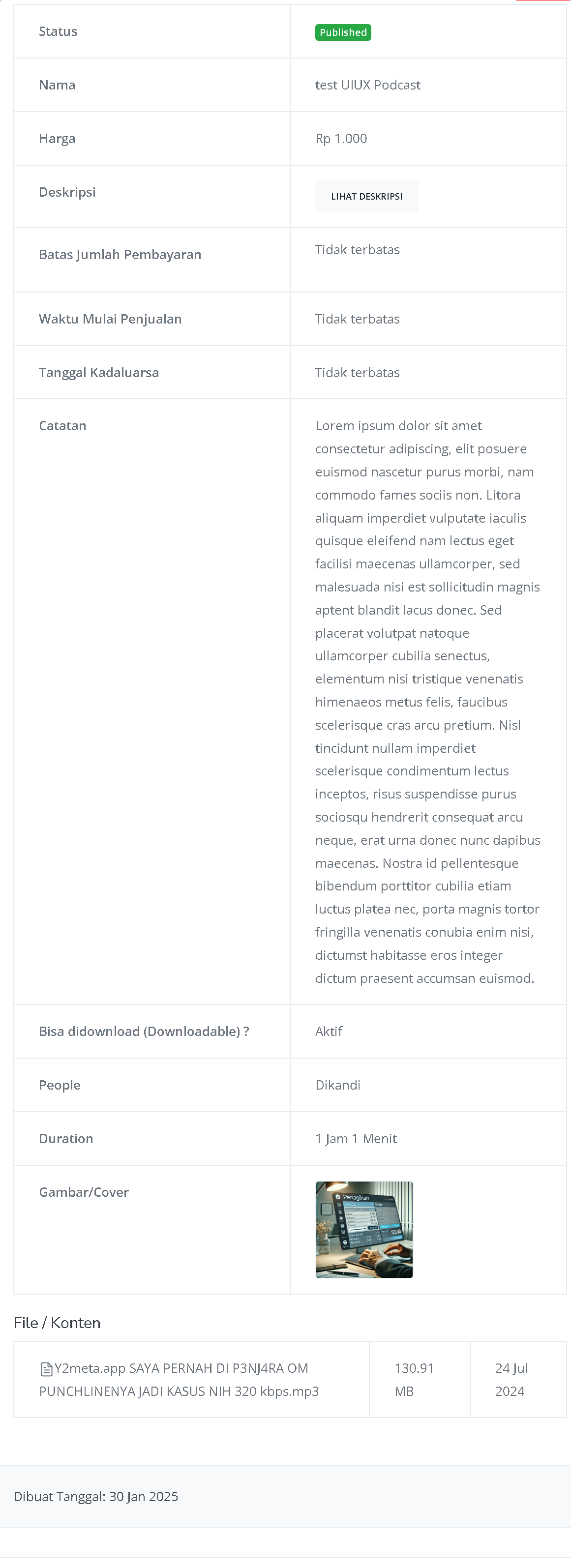
6
Congratulations!
Congratulations! You have successfully created a Podcast product in Mayar!
How to Access the Product Page and Checkout
1
Access Product Page
You can access the product page through the link provided in the product details.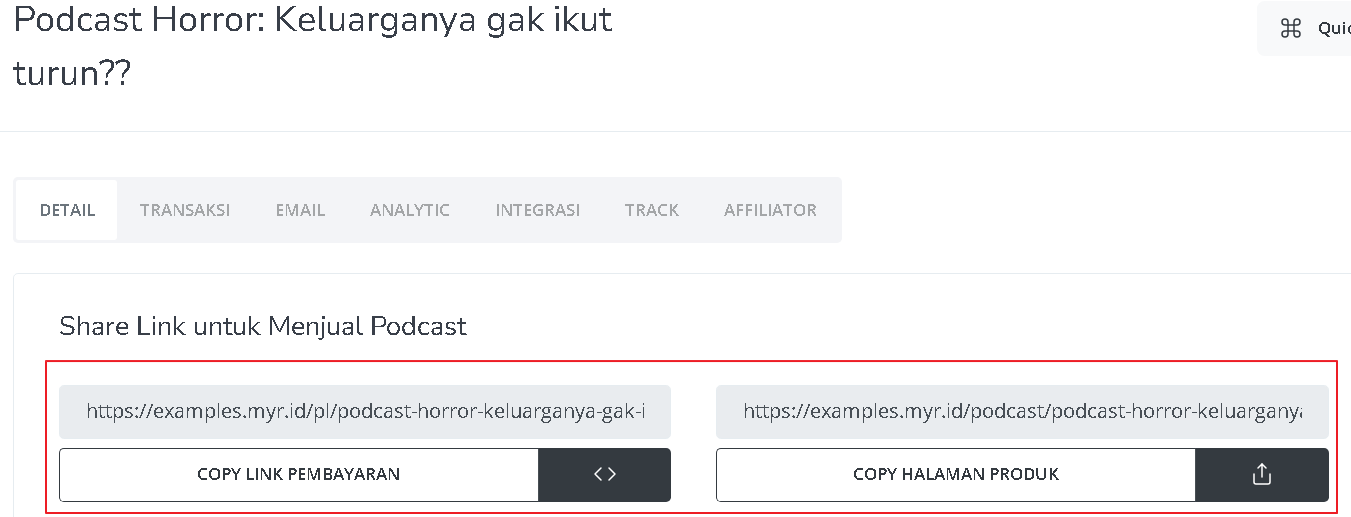
2
Copy Product Page Link
You can also access the product page by copying the product page link.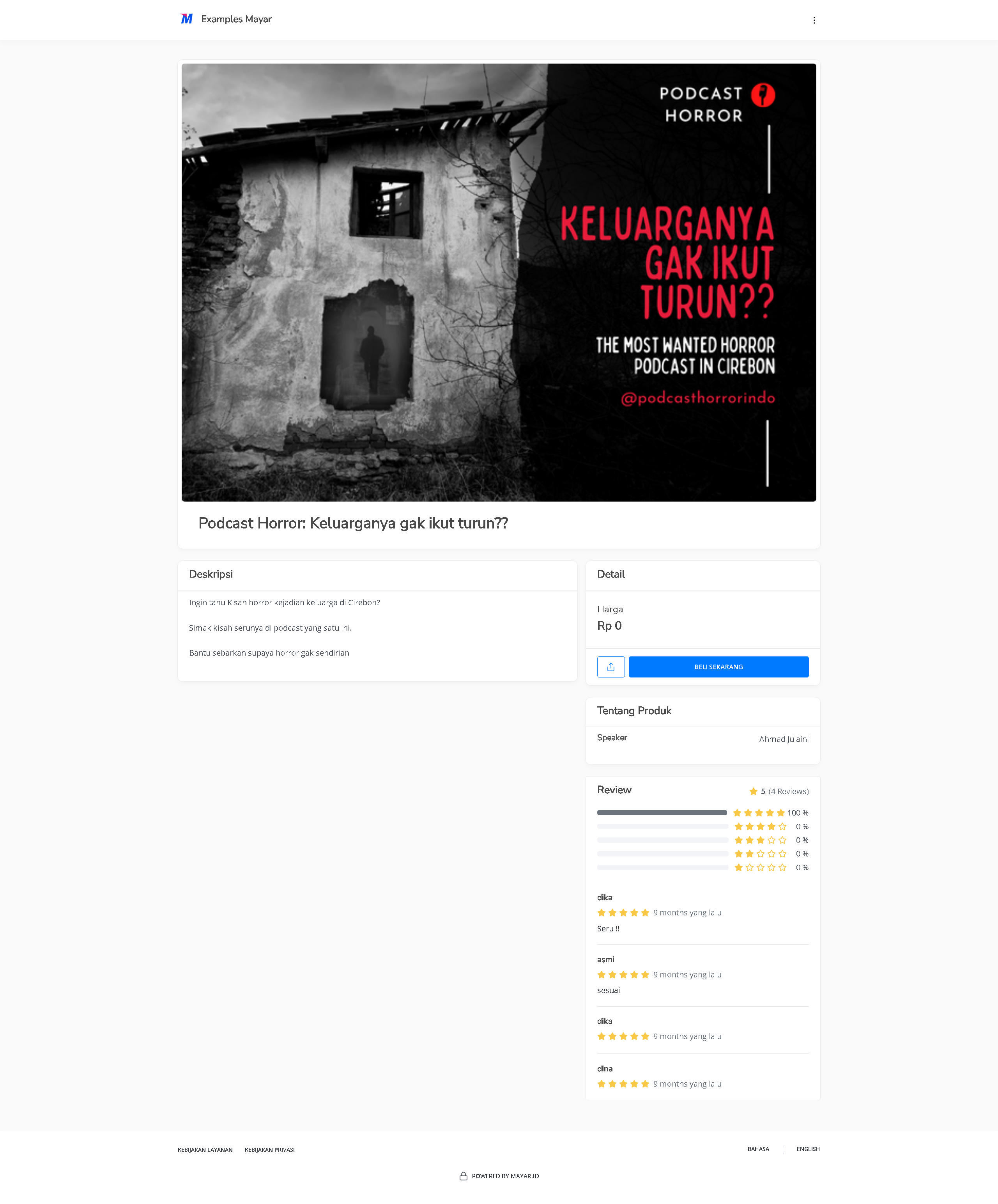
3
Access Checkout Page
To access the checkout page, you can copy the payment link.