Overview
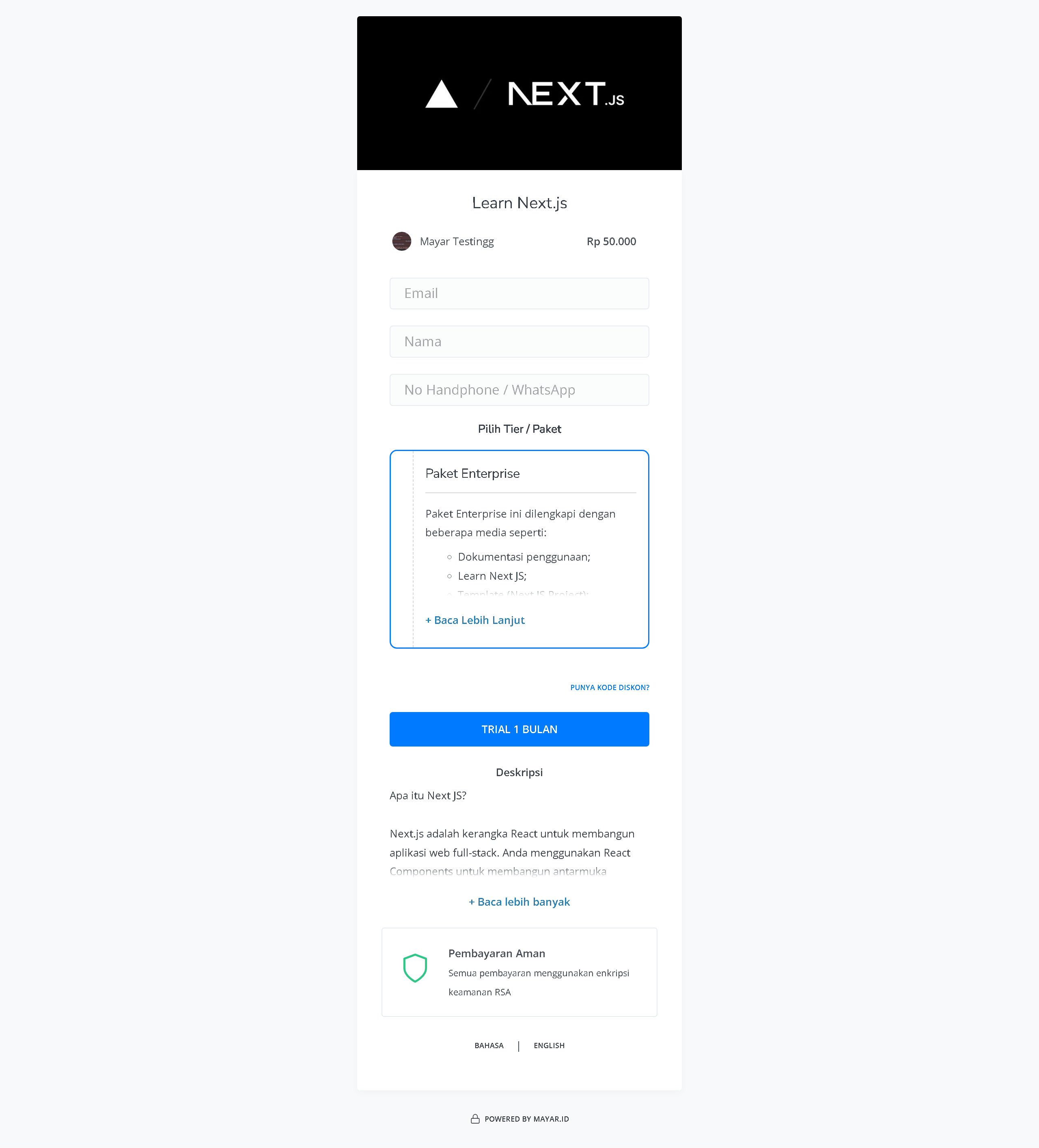
SaaS (Software as a Service) is a software delivery model provided over the internet. It allows users to access applications from multiple devices without the need to download or install them locally. On the Mayar platform, SaaS offers high flexibility and scalability, enabling businesses to adjust their software usage based on their needs without requiring large upfront investments in IT infrastructure. Updates and maintenance are handled by the service provider, so users can focus on their core business activities without worrying about technical issues. Data security and easy access are key advantages of SaaS, making it a popular choice for businesses looking to improve operational efficiency and team collaboration.How to Create a SaaS Product
1
Log in to Mayar Dashboard
Make sure you’re logged into your account and on the main Dashboard page.
2
Click the “Product” Button
Find and click the “Product” button at the top right corner, next to the “Create” button.
3
Select “Membership & SaaS”
When the creation menu appears, select “Membership & SaaS” to get started. A new window titled “Create Membership” will open.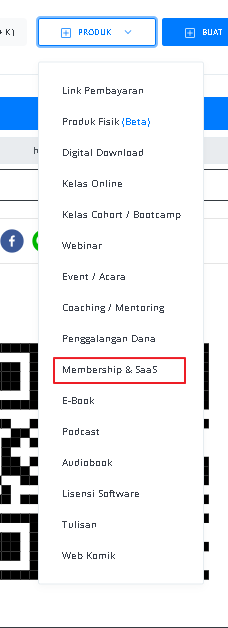
4
Fill in SaaS Product Details
Enter the following information: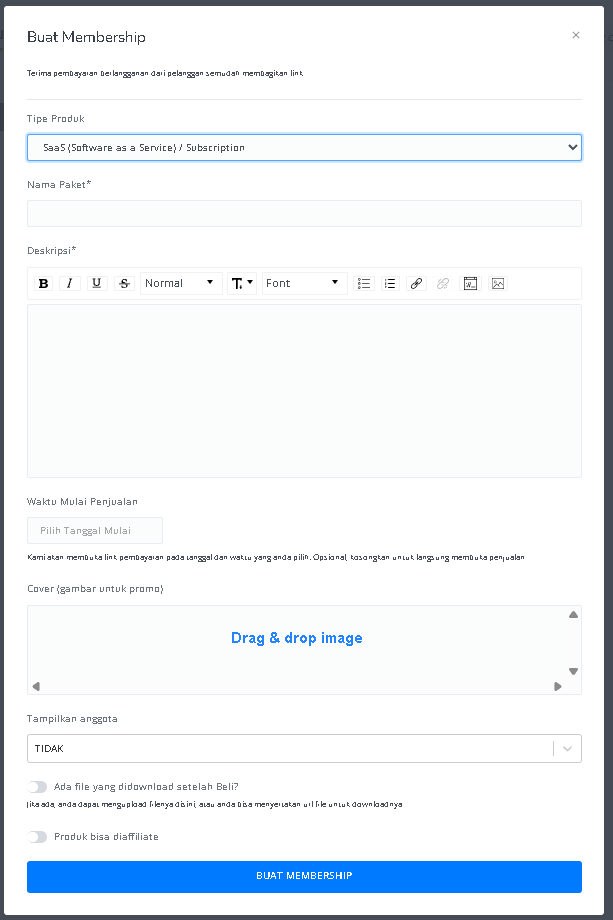
5
Access SaaS Product Detail Page
After entering the information and creating the SaaS product, you will be redirected to the SaaS Product Detail page. Here, you can see the following information:
6
Create SaaS Product Tiers
Click the “Create Tier / Level / Membership Package” button located above the **Membership Tier **table.
7
Fill in Tier Details
On the “Create Membership Tier” page, enter the following tier information: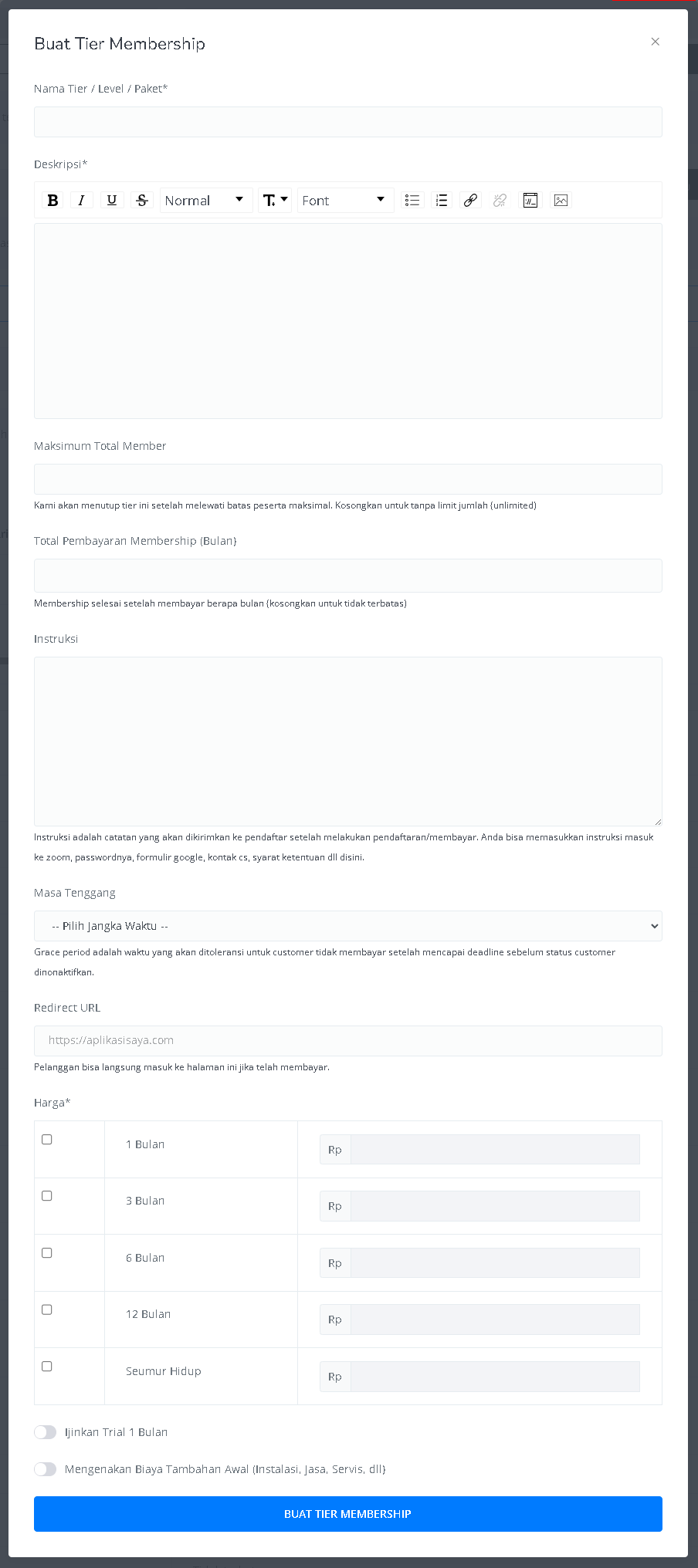
8
Finish
Once you’ve set up the Membership Tier for your SaaS Product, you have successfully created and activated the SaaS Product feature in Mayar!
How to Access the Product Page and Checkout
1
Access Product Page
You can access the product page through the link provided in the product details.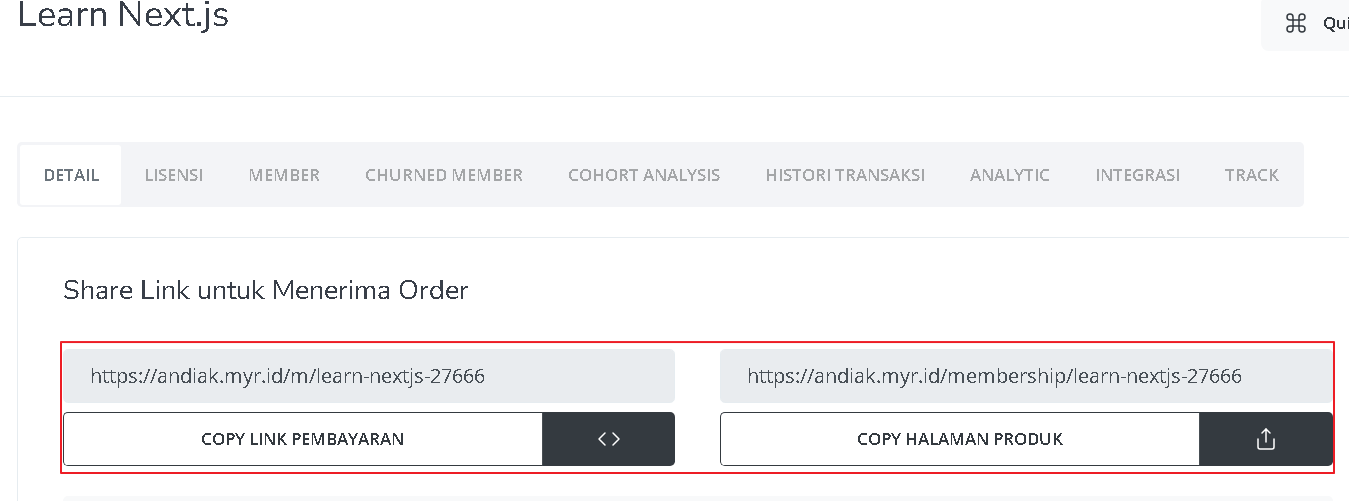
2
Copy Product Page Link
You can also access the product page by copying the product page link.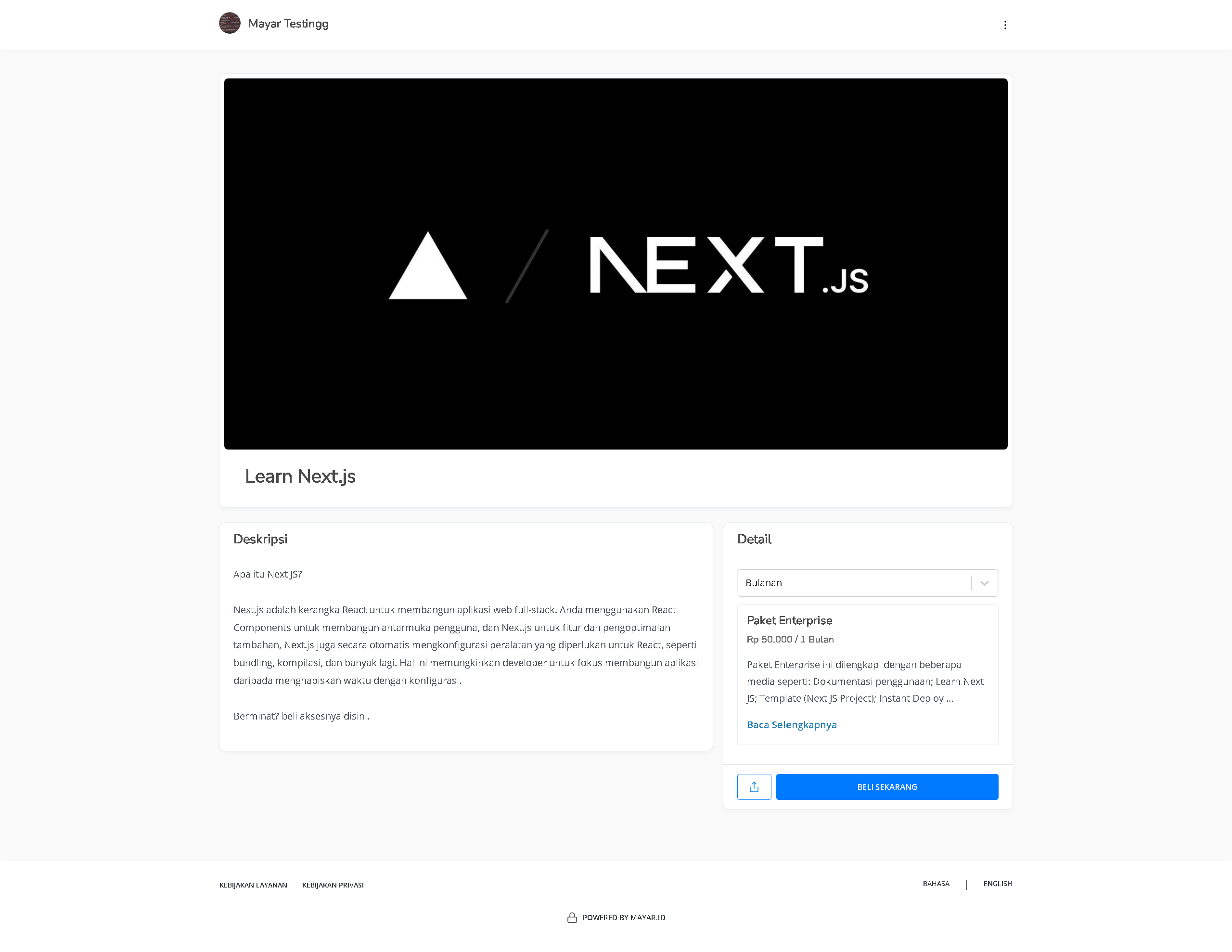
3
Access Checkout Page
To access the checkout page, you can copy the payment link.