Overview
Mayar Payment Links is a versatile and powerful payment solution designed to simplify the process of accepting payments across various sales channels. Whether you are a small business owner, a freelancer, or a large enterprise, Mayar Payment Links provides the flexibility and convenience you need to manage transactions efficiently and securely. This solution allows you to reach customers wherever they are, offering a seamless payment experience that improves customer satisfaction and streamlines your financial operations. Payment links can be easily created through the Mayar Web App, which features an intuitive and user-friendly interface. The app simplifies the setup process, enabling you to generate customized payment links that can be shared across multiple platforms, including social media, email, and websites. This gives your customers multiple options to complete their transactions, ultimately boosting your sales opportunities. This guide will help you gain a detailed understanding of how to effectively use the Payment Link feature, enhancing your payment management capabilities and providing a seamless experience for your customers.Navigate to Payment Links
1
Log in to your Mayar Dashboard
Make sure you are logged into your account and on the main Dashboard page. This is where you will begin creating a Payment Link.
2
From the Sidebar menu, click on Payment Link.
On the Dashboard, find and click the Payment Link menu. Here, you will see a list of all the Payment Links you have previously created.
Create Payment Link
1
Go to Dashboard
Make sure you are logged into your Mayar account and on the main Dashboard page.
2
Access the Product Menu
Click the “Product” button at the top right, next to the “Create” button. This will take you to the product menu.
3
Choose Product Type
Select the “Payment Link” option to start creating your product. The “Create Payment Link” window will open.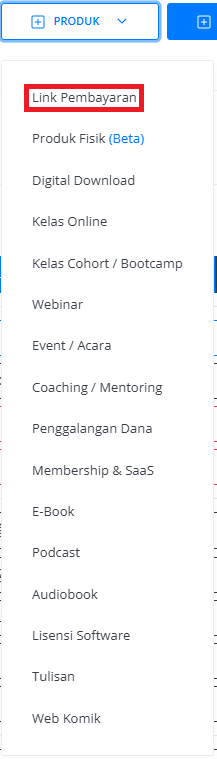
4
Fill in Product Details
Enter the following information: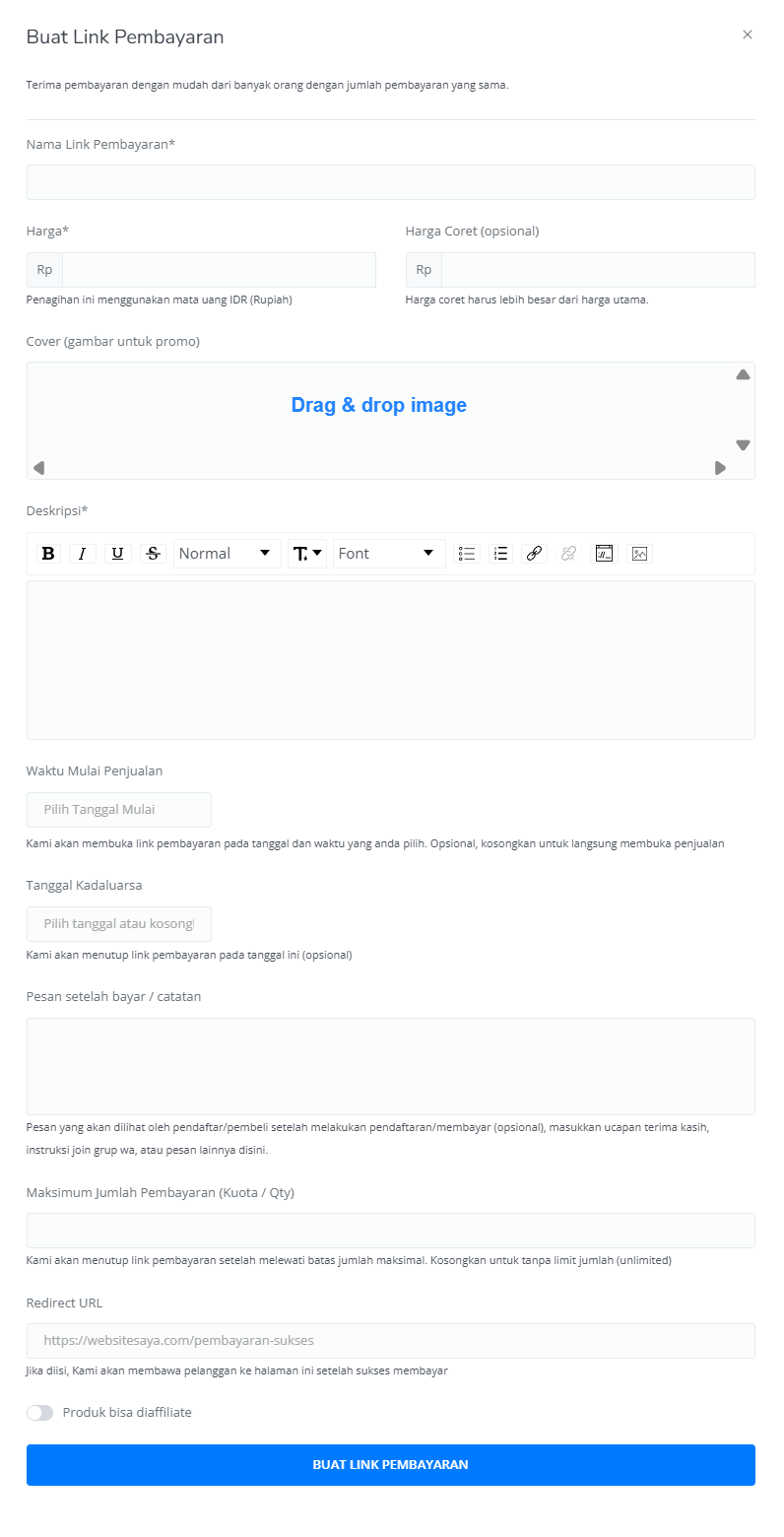
5
Review and Finish
After filling in all the details, review the product information to make sure everything is correct. On the product detail page, you will see: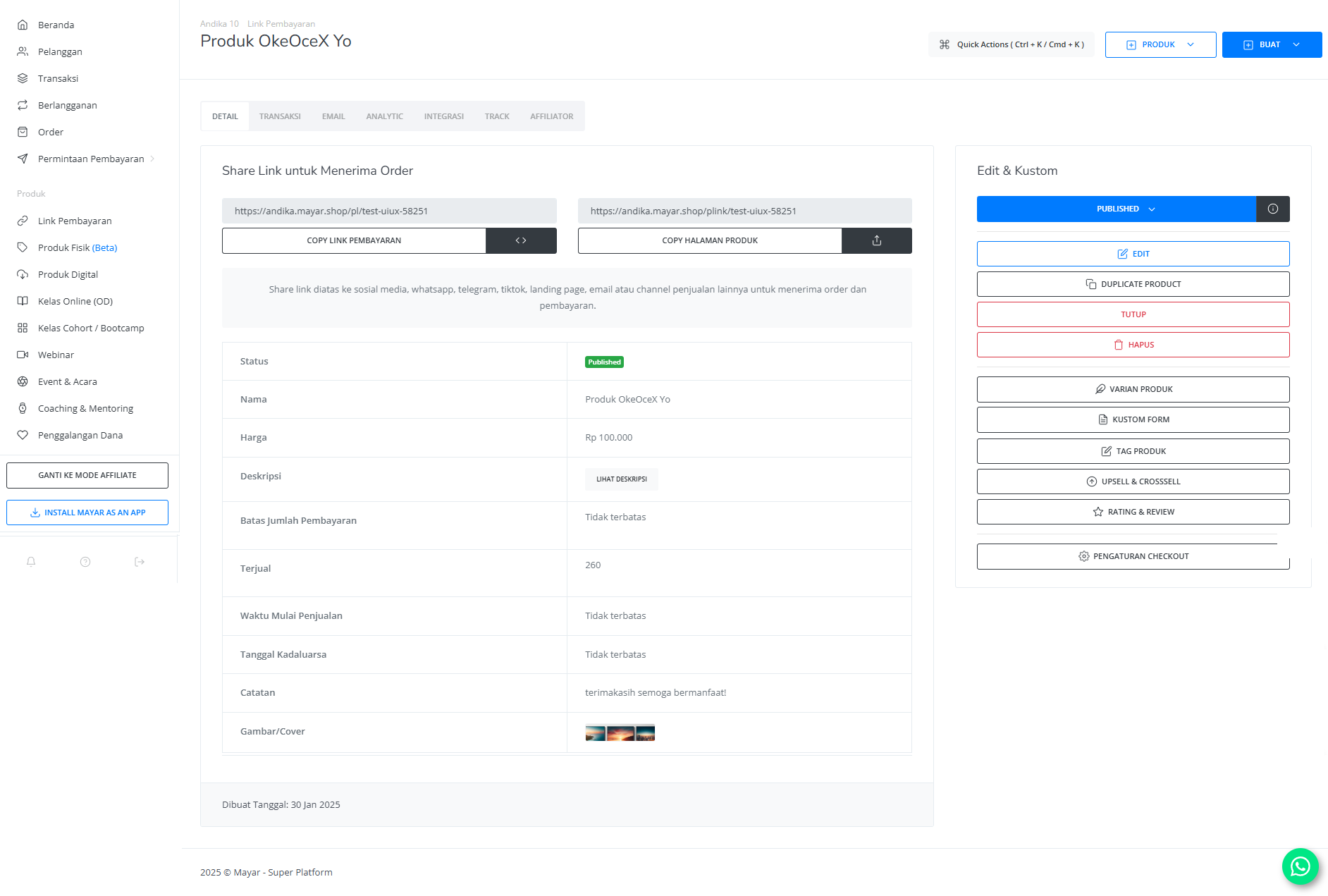
How to Access the Product Page and Checkout
1
Access Product Page
You can access the product page through the link provided in the product details.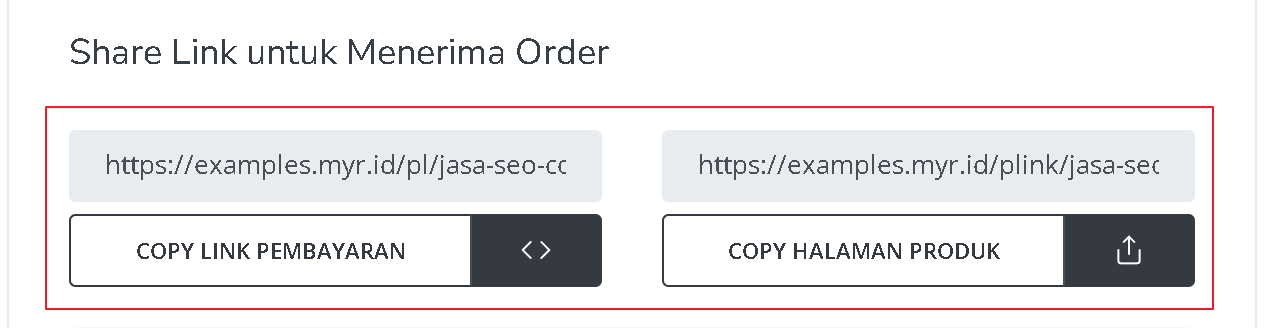
2
Copy Product Page Link
You can also access the product page by copying the product page link.
3
Access Checkout Page
To access the checkout page, you can copy the payment link.