Overview
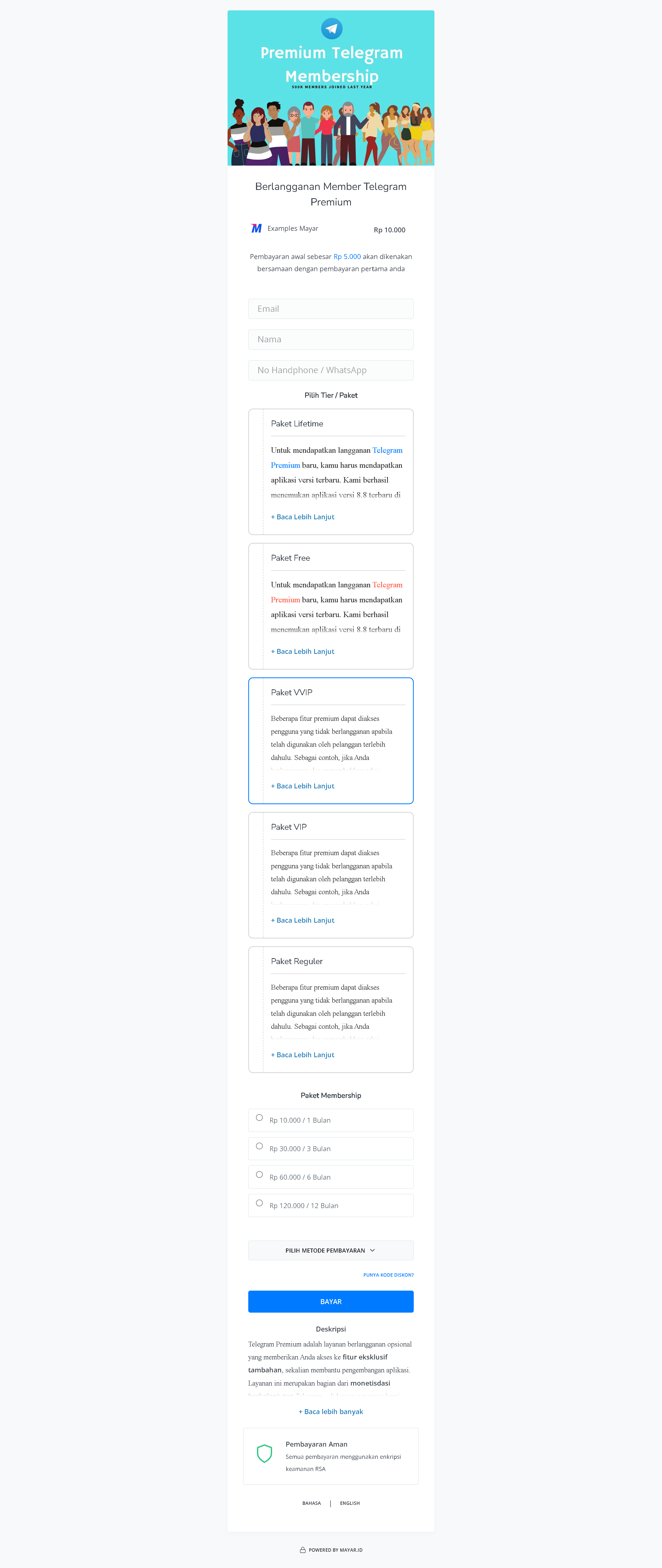
The Membership product on Mayar offers a variety of exclusive perks for members, including priority access to the latest features, special discounts on selected services, and more responsive customer support. By subscribing to a Membership, users can enjoy a more personalized and integrated experience, making the most out of Mayar’s services. In addition, members also get the opportunity to join exclusive events and promotions that are not available to non-members. This membership is designed to enhance convenience and efficiency in managing everyday financial needs.How to Create a Membership Product
1
Log in to Mayar Dashboard
Make sure you’re logged into your account and on the main Dashboard page.
2
Click “Product"
Find and click the “Product” button at the top right corner, next to the “Create” button.
3
Select “Membership & SaaS”
When the creation menu appears, choose “Membership & SaaS.” A new window titled “Create Membership” will open.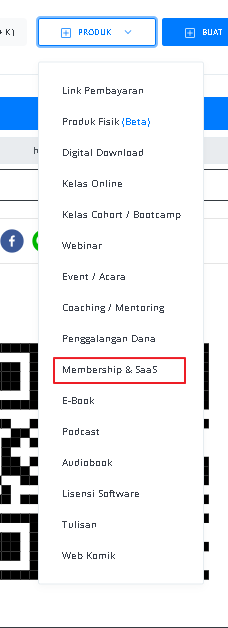
4
Fill in Membership Product Details
Enter the following information: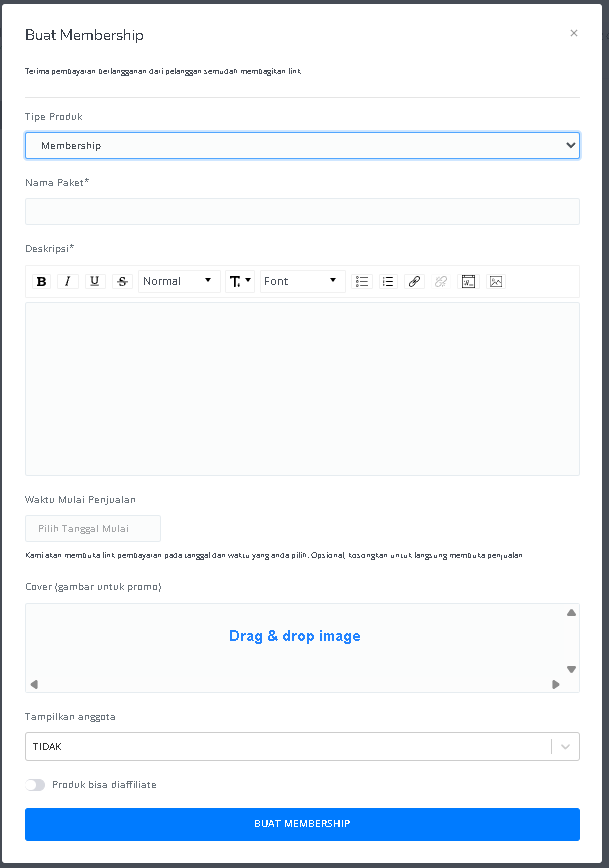
5
Access Membership Product Detail Page
After filling in the information, you will be redirected to the Membership Product Detail page. Here, you can see the following information: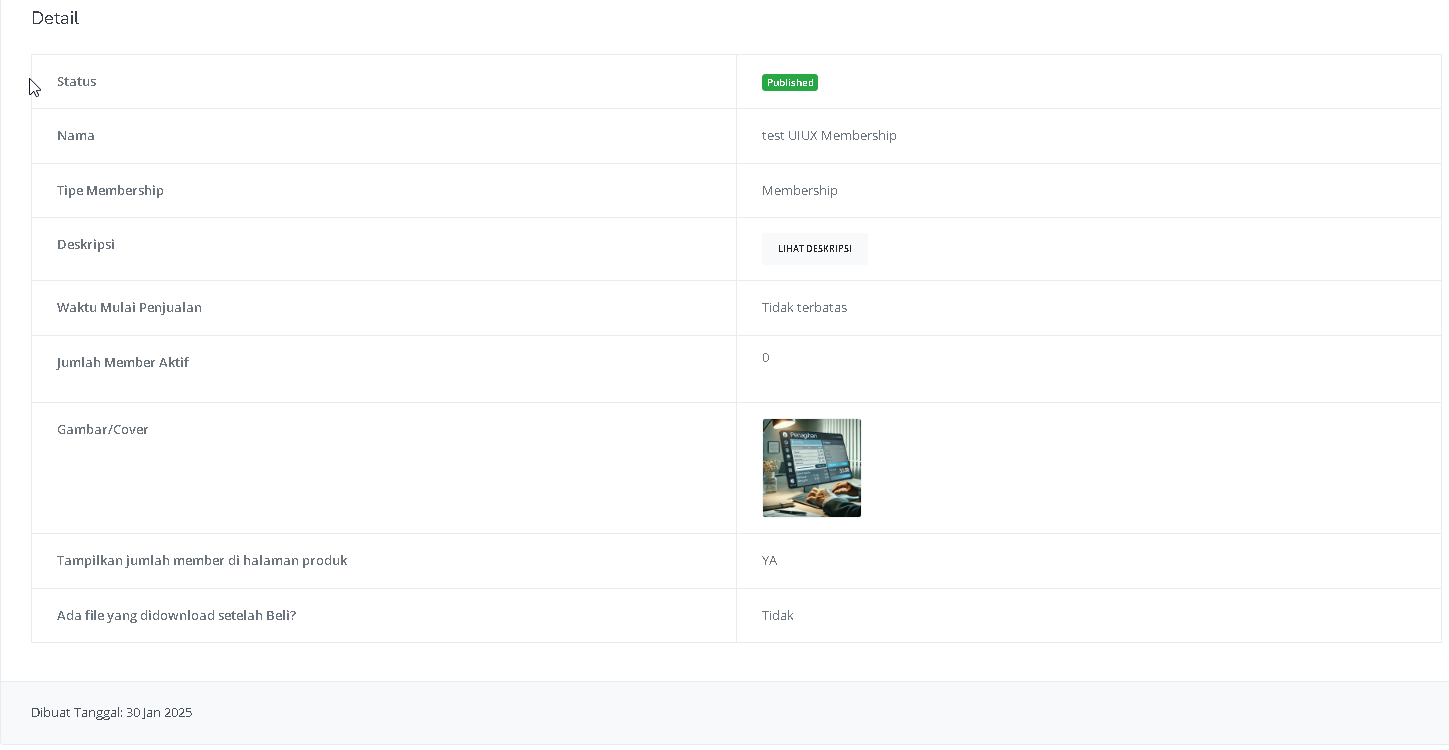
6
Create Membership Tier
Click the “Create Tier / Level / Membership Package” button above the Membership Tier table.
7
Fill in Membership Tier Details
Enter the following information for the membership tier: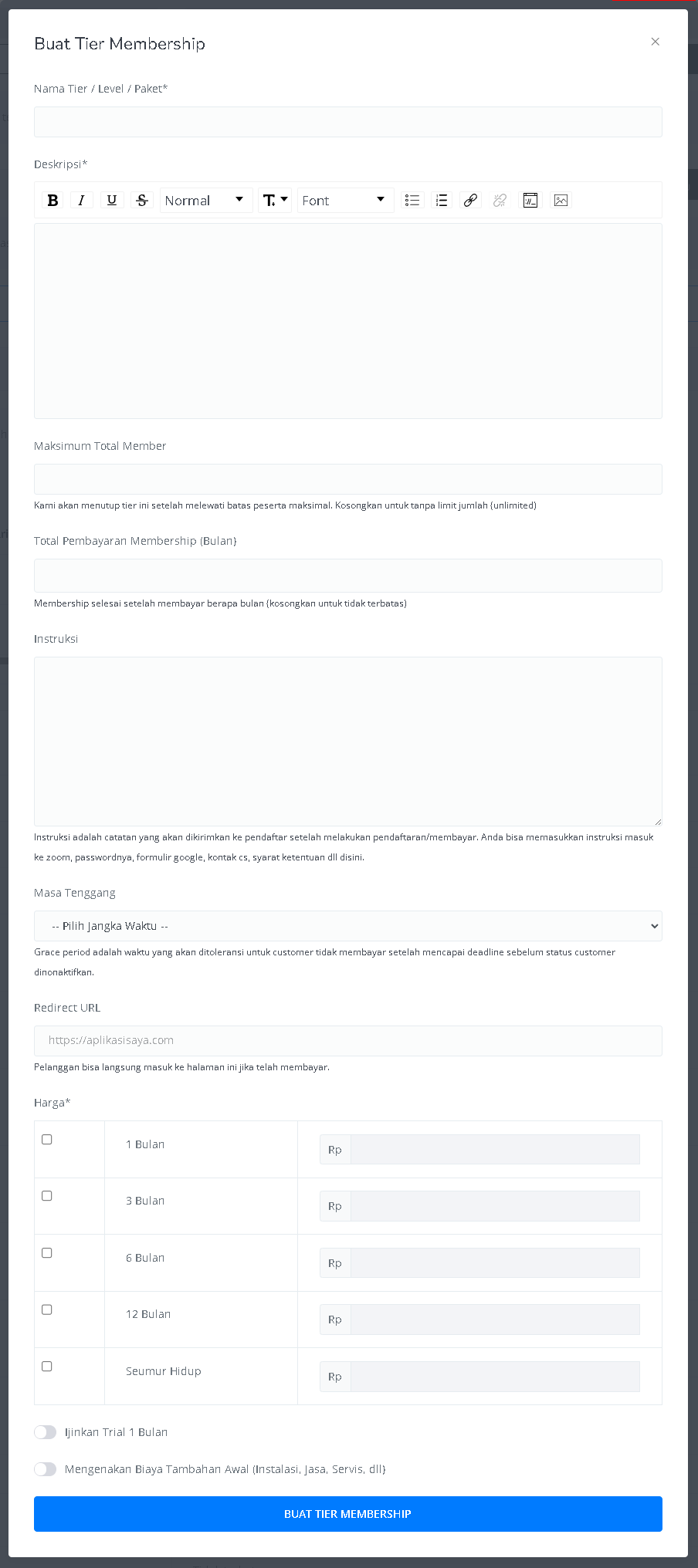
8
Access Membership Content Page
After creating a Tier, you can access the content page under the Membership name.
9
Create Membership Content
Click the “Create Membership Content” button to open the “Create Content Section” page.
10
Fill in Content Configuration
Add a Title, Description, Cover Image, and set access rights for each Membership Tier.
11
Create Content Modules
Click “Add Module” to add Text, Embed, DRM Video, File, or Audio.
12
Access Product Page
Once the content modules are created, access the Product page under the Membership name.
13
Add Products to Membership Tier
Click “Add Product Access” to include products such as digital items, online classes, e-books, podcasts, and more.
14
Finish
After setting up the Tier, content, modules, and product access, your Membership Product is ready to use on Mayar!
How to Access the Product Page and Checkout
1
Access Product Page
You can access the product page through the link provided in the product details.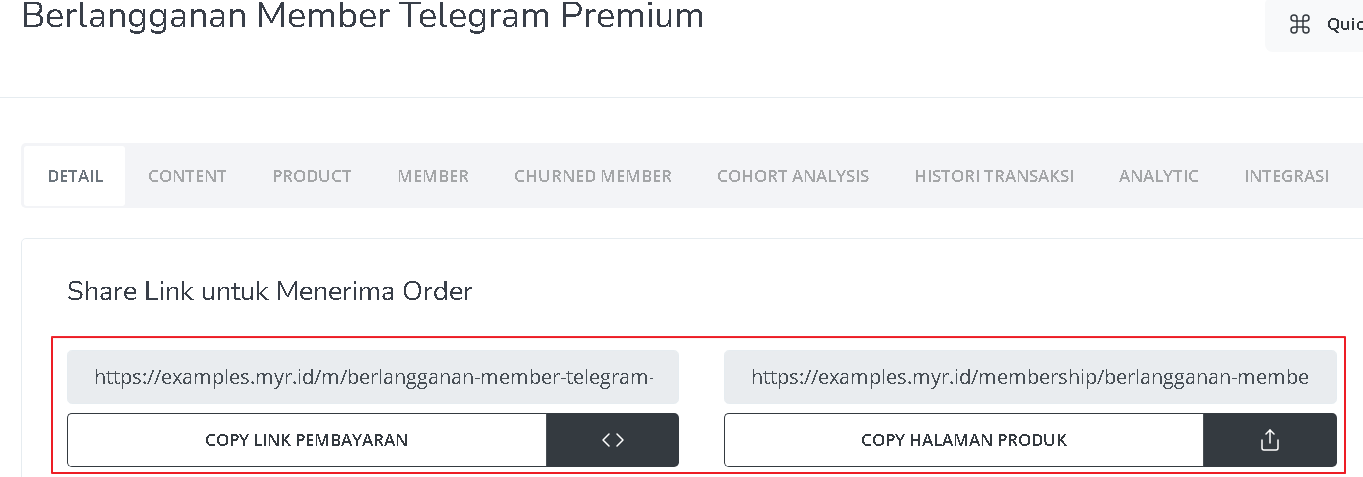
2
Copy Product Page Link
You can also access the product page by copying the product page link.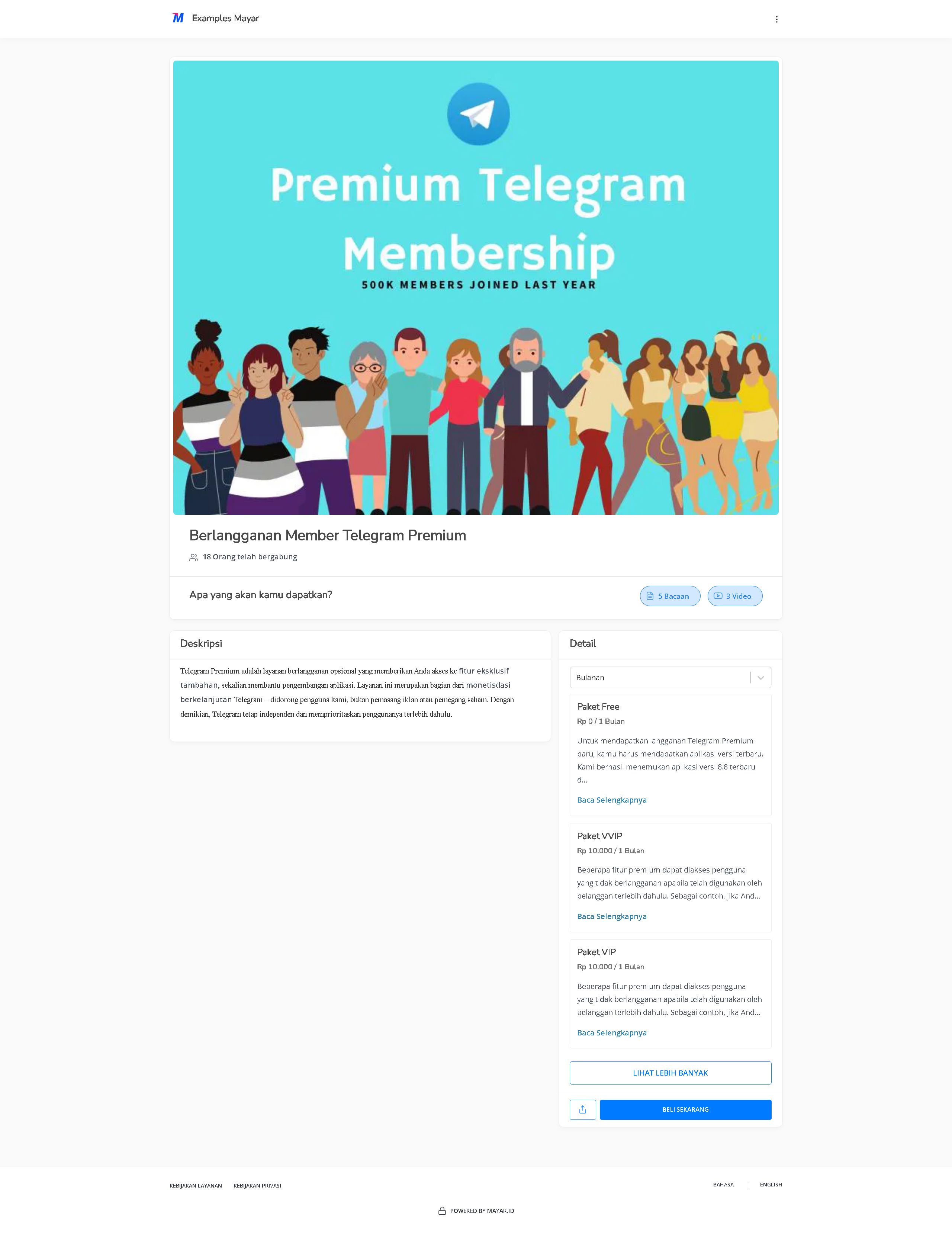
3
Access Checkout Page
To access the checkout page, you can copy the payment link.