Overview
The credit-based membership system in Mayar lets you sell software with a monthly credit system. Credits can either reset or roll over at the end of each billing cycle, and members can top up credits during their subscription. You can set the price per credit and define minimum and maximum top-up limits. The system prioritizes the use of membership credits before add-on credits, and older credits are used first. Credits do not transfer if a member switches tiers. An API is available to manage credits, including registering new members with trial credits. Webhooks are also enabled for notifications of the first purchase and top-ups, giving you full flexibility and control over membership management on Mayar.How to Create a Credit-Based Membership Product
1
Access the Mayar Dashboard
Log in to your account and go to the main dashboard.
2
Click "Products"
Find and click the “Products” button at the top right, next to the “Create” button.
3
Select "Membership & SaaS"
When the creation menu appears, choose “Membership & SaaS.” A new window titled Create Membership will open.
4
Fill in Membership Product Details
Enter the following information: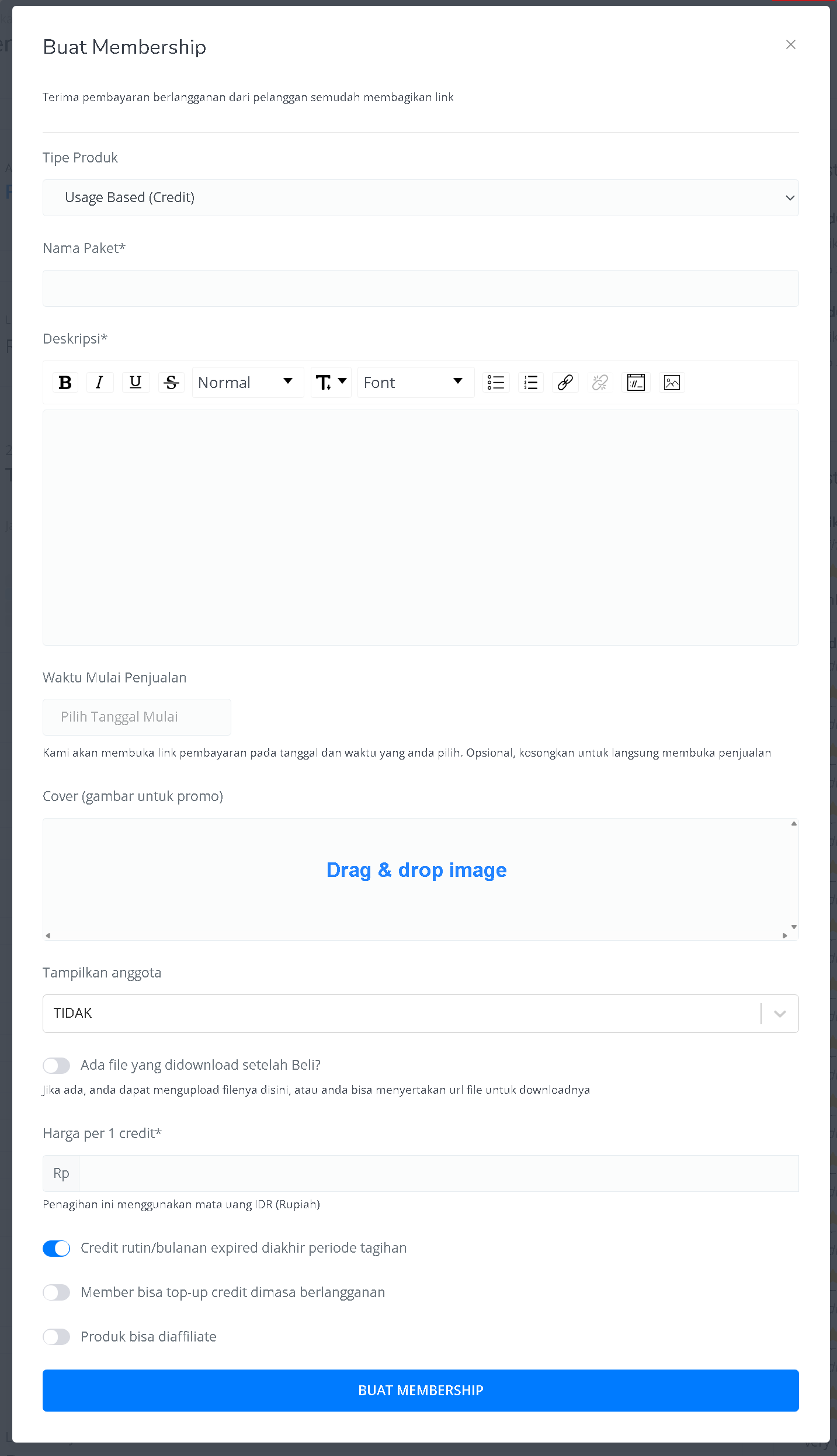
5
Access Membership Product Details Page
Once created, you’ll be redirected to the membership product detail page showing information like: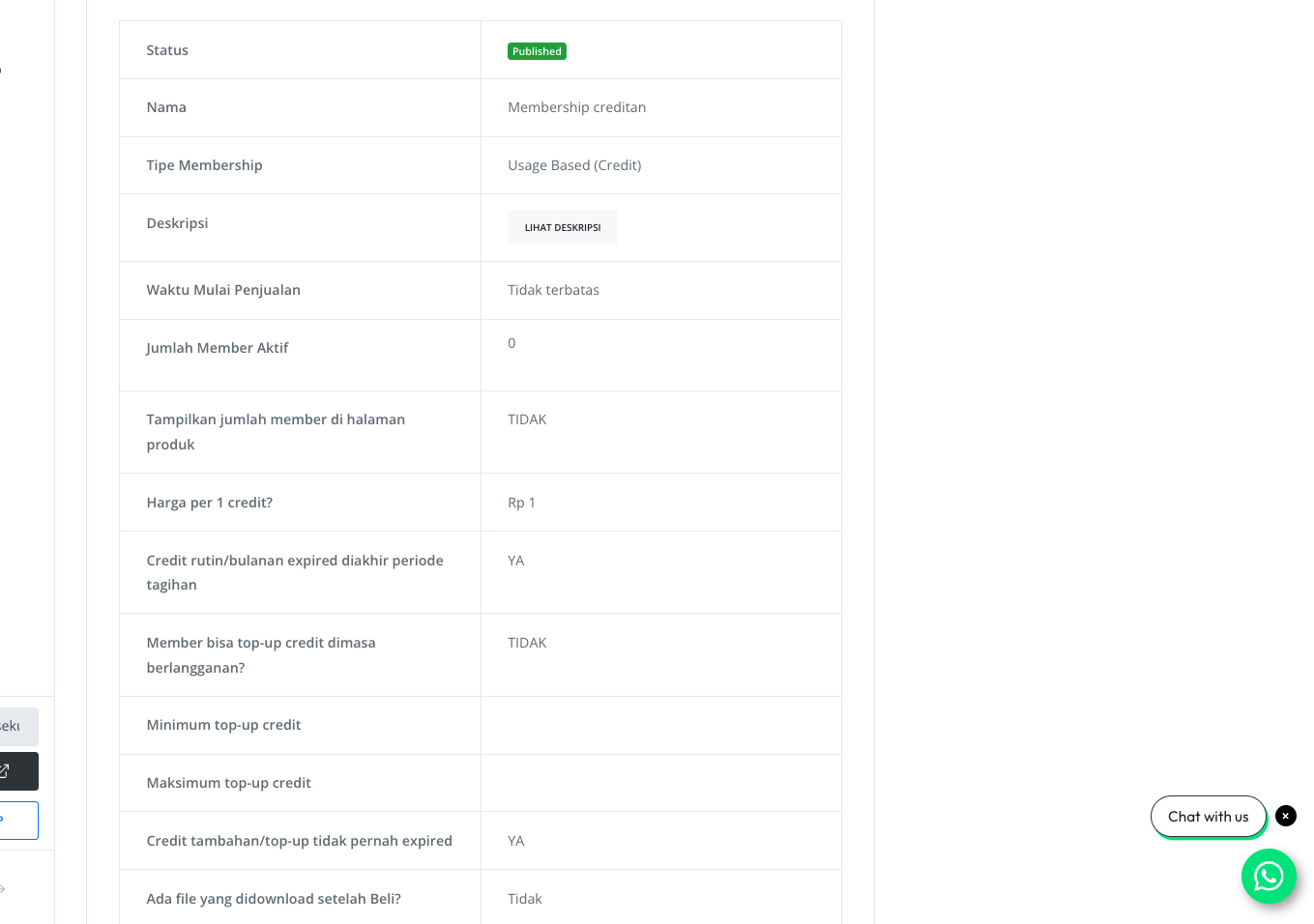
6
Create Membership Tiers
Click Create Tier / Level / Package Membership above the “Membership Tier” table.
7
Fill in Tier Details
Provide tier information such as: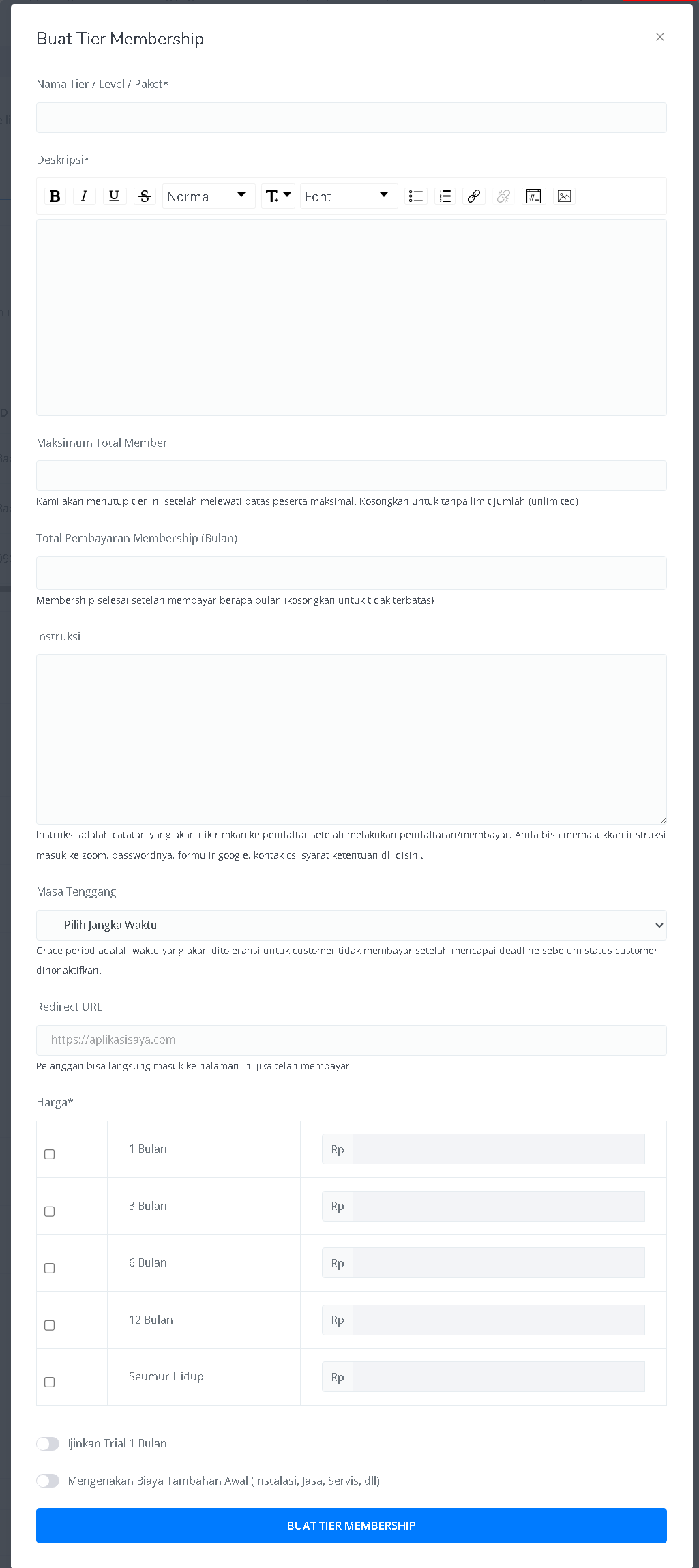
8
Done!
Once tiers and the product are created, your membership credit product is ready to use on Mayar!
How to Access the Product Page and Checkout
1
Access Product Page
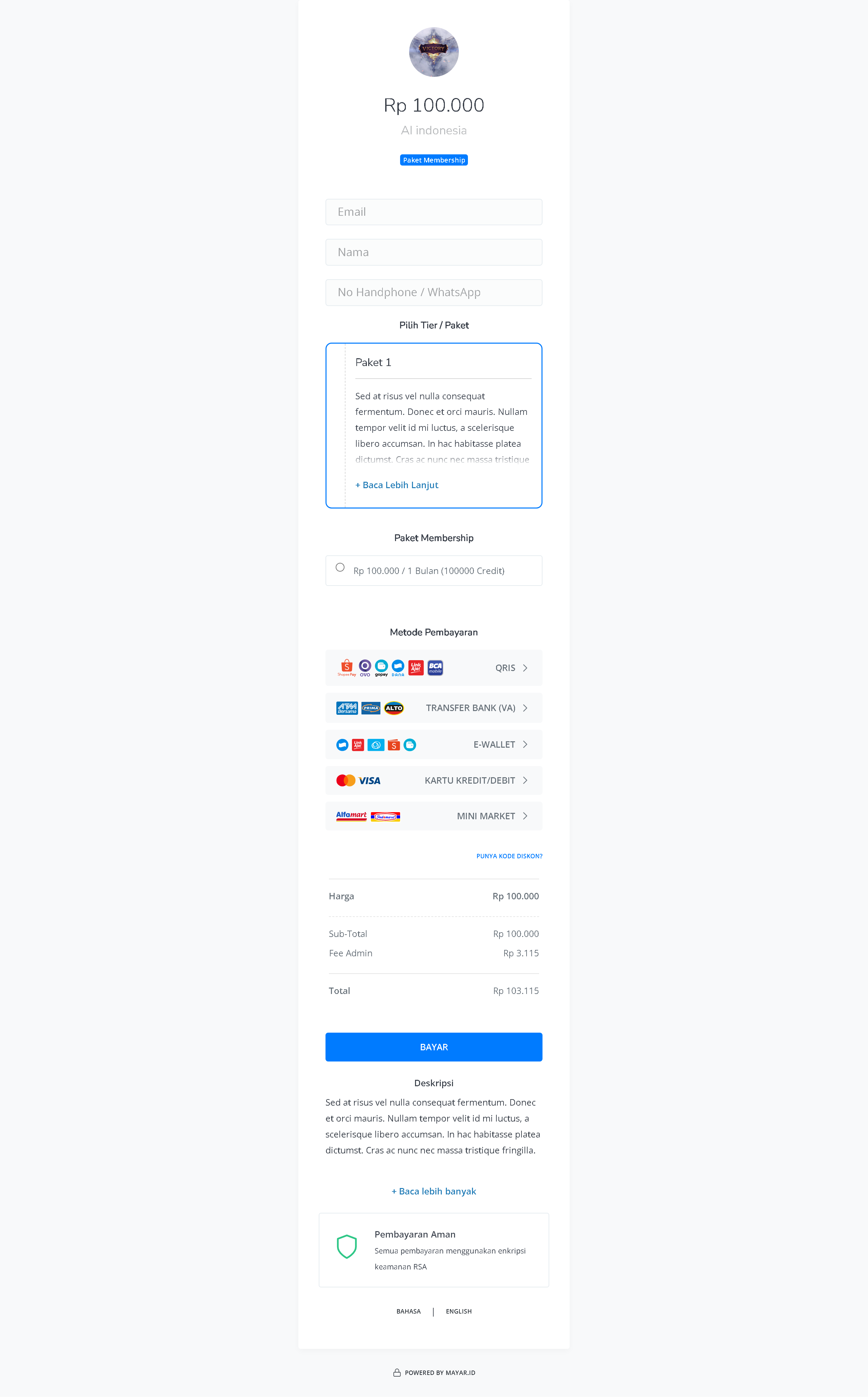
You can access the product page through the link provided in the product details.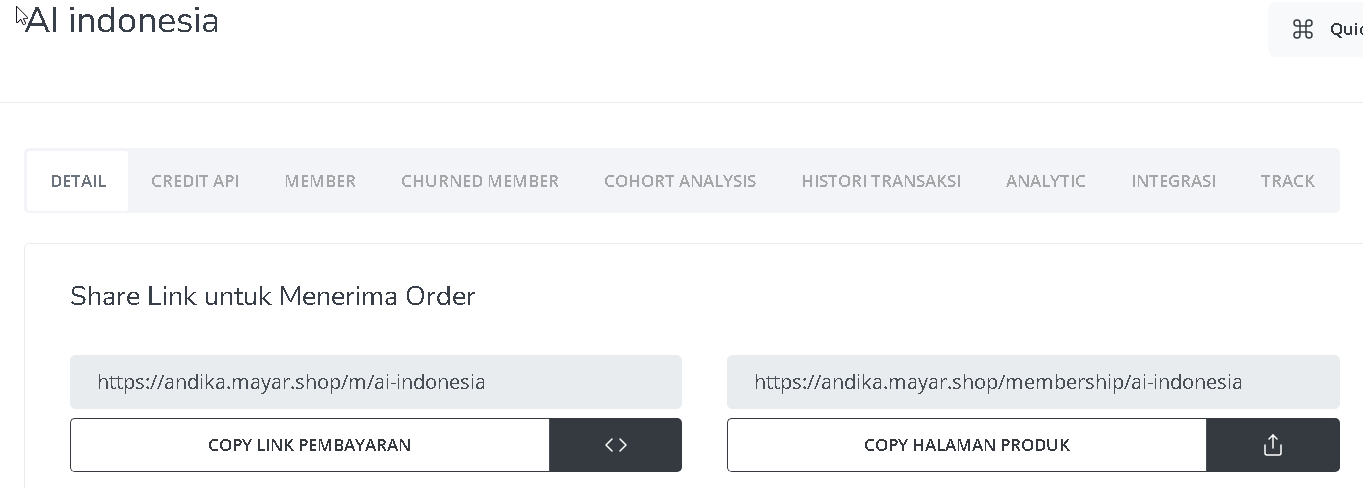
2
Copy Product Page Link
You can also access the product page by copying the product page link.
3
Access Checkout Page
To access the checkout page, you can copy the payment link.